How to Get a Multiple-Entry Visit Visa to Malaysia Online as a Work Pass Holder in Singapore (2025)
TL;DR
- The visa you receive will be a 6-month multiple-entry visa or valid until the expiration of your work pass, whichever comes first.
- The visa fee is approximately 40 SGD (MYR 120).
- In most cases, the processing time for your visa application is less than 3 working days.
- Links provided in this article to download ALL letter templates
- You can apply for a visa from your account for your spouse, children, and parents.
- When applying for a visa for your parents (non-SG residents), they must be in Singapore as visitors because an ICA notification letter is required for their application.
My previous Malaysia visa guide, which I wrote in 2023, is the most viewed article on my website and Medium. This clearly shows that Malaysia remains a popular travel destination for Singapore residents.
Here is the 2.0 of the Malaysia visa guide, which applies from 2025. This article also includes steps on how to apply for a visa for your parents (non-SG residents) in case they visit you in Singapore and want to take you to Malaysia.
Prepare Your Documents
Before applying online, gather these documents and follow the guidelines. Name files with alphanumeric characters only (e.g., “HusnyPassport,” “HusnyPhoto,” “NavoPassport, ” etc.).
Passport
- Valid for 6+ months from your travel date.
- Save as .jpeg/.jpg, file size < 2MB.
- Ensure details are clear and readable.
Photo
- Size: 35mm x 50mm, no borders. Taken within 6 months.
- Save as .jpeg/.jpg, file size < 2MB.
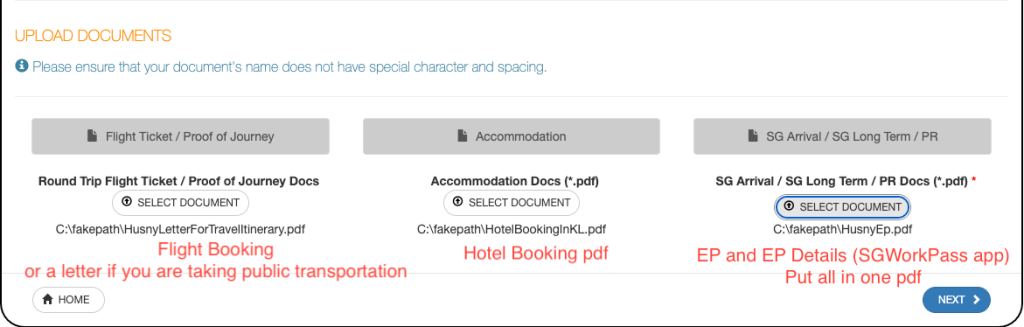
Hotel Booking
- Reserve via Agoda/Booking.com/Airbnb with free cancellation.
- Save confirmation as a PDF (e.g., “HotelBooking”).
Travel Itinerary
- If using public transport, attach a letter explaining your travel plans.
- If you’ve booked a flight or bus, prepare the ticket in PDF format (file size < 2MB).
- Name the file with alphanumeric characters only, e.g., “MyFlightTicket” or “MyBusTicket.”
Here is a sample letter to submit with your visa application if you are taking public transportation from Singapore.
Work Pass (PEP/EP/S Pass/DP/WP)
- Create a PDF with front, back, and validity screenshots from the SGWorkPass App. Here is a sample format.
[Update August 2025] Proof of Financial Support
Download your latest bank statement showing a sufficient balance to cover your trip expenses.
- Save it as a PDF (file size < 2MB).
- Ensure your name and account balance are clearly visible.
- Name the file with alphanumeric characters only, e.g. “BankStatement”
With these ready, you can start your visa application!
Step 01: Log In to the Immigration Department of Malaysia website
Visit the Immigration Department of Malaysia’s official website.
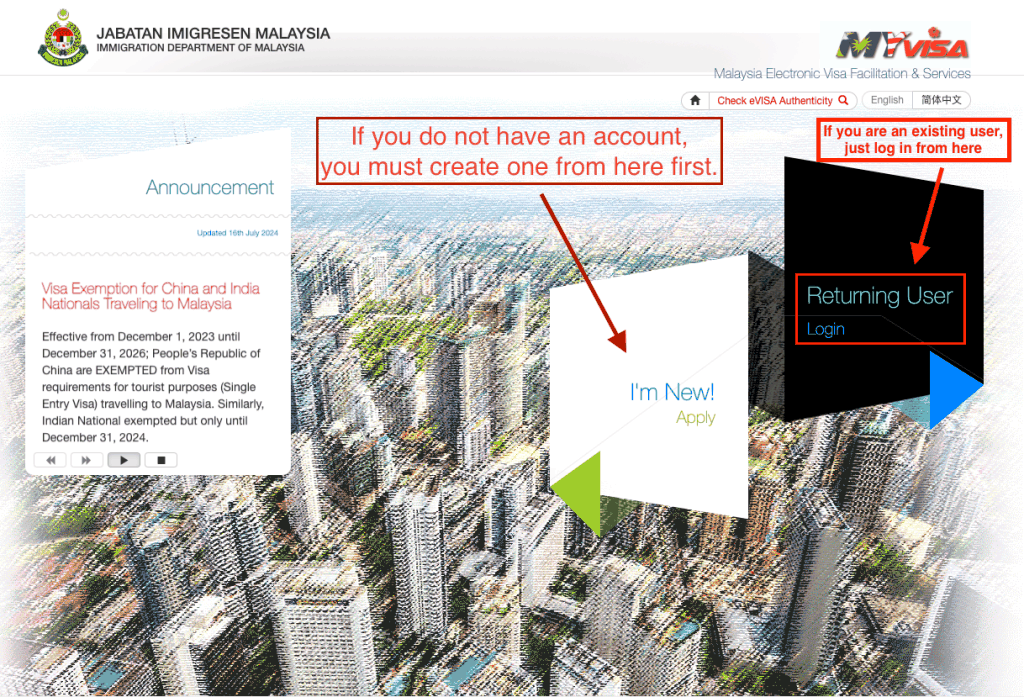
If you do not have an account *,*you must create one from here first.
Here are the steps on how to create an account on the Immigration Department of Malaysia website . It’s straightforward.
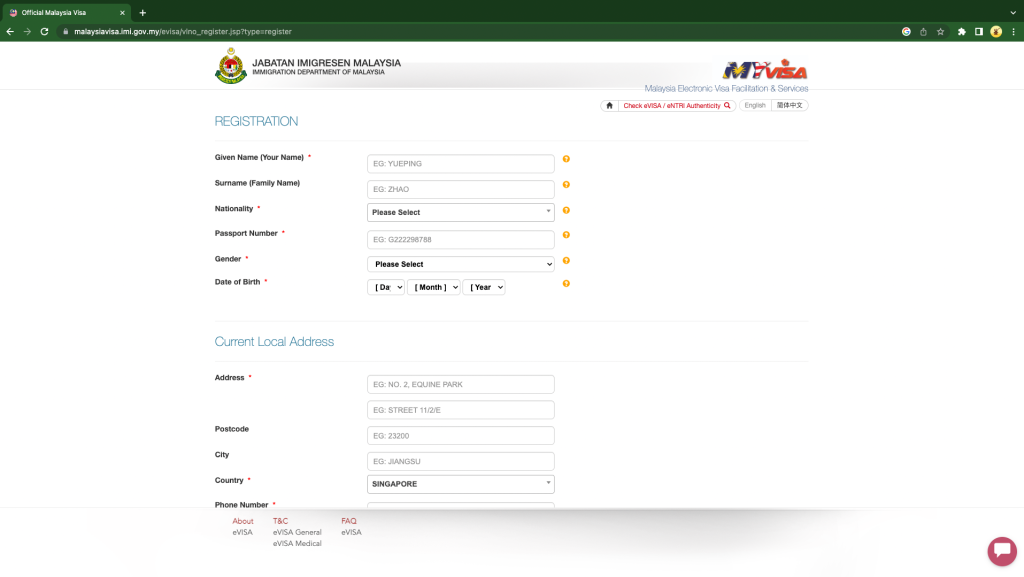
Enter Your Details As Per Your Passport
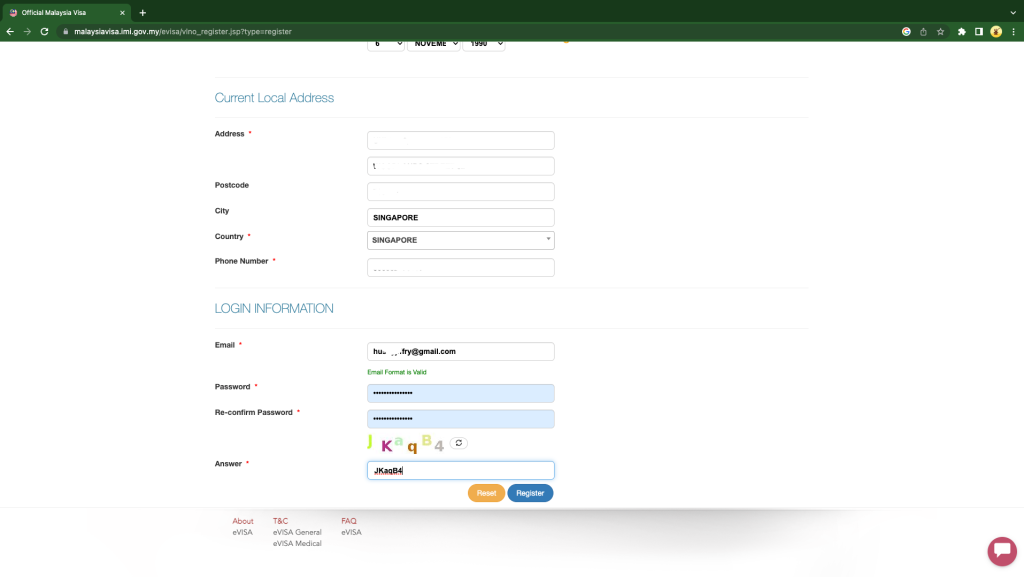
Enter Your Singapore Address
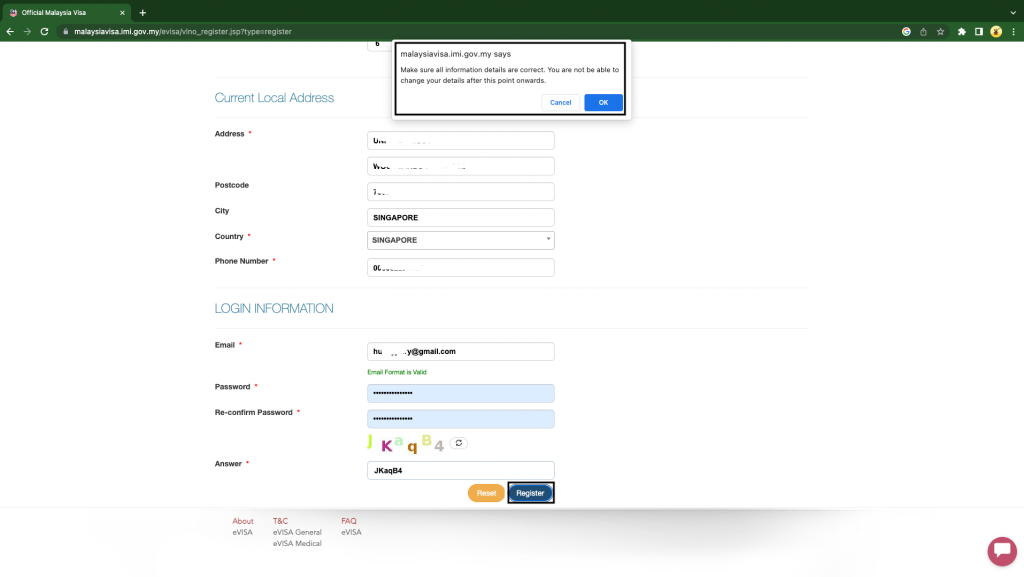
Set A Password For Your Account
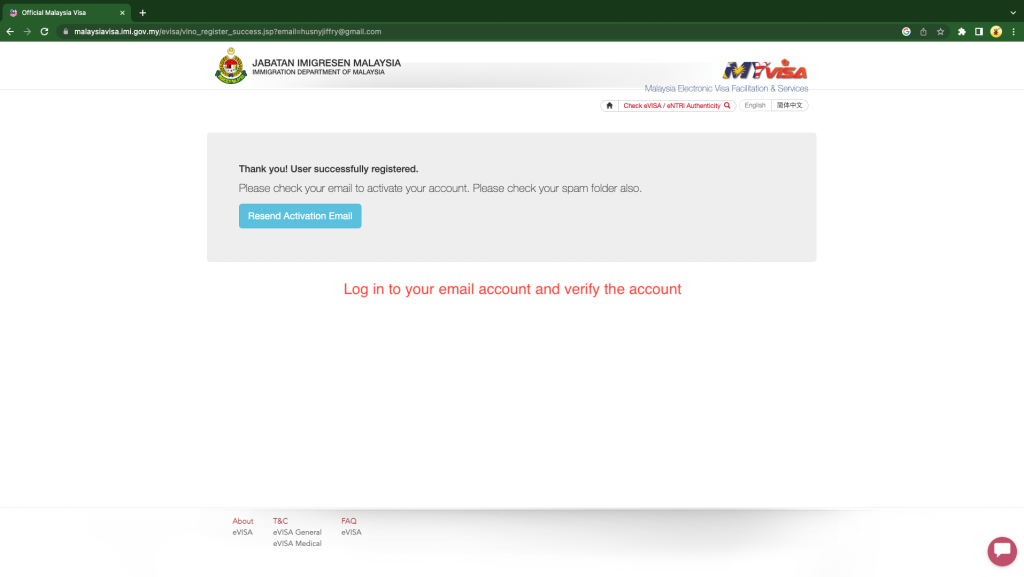
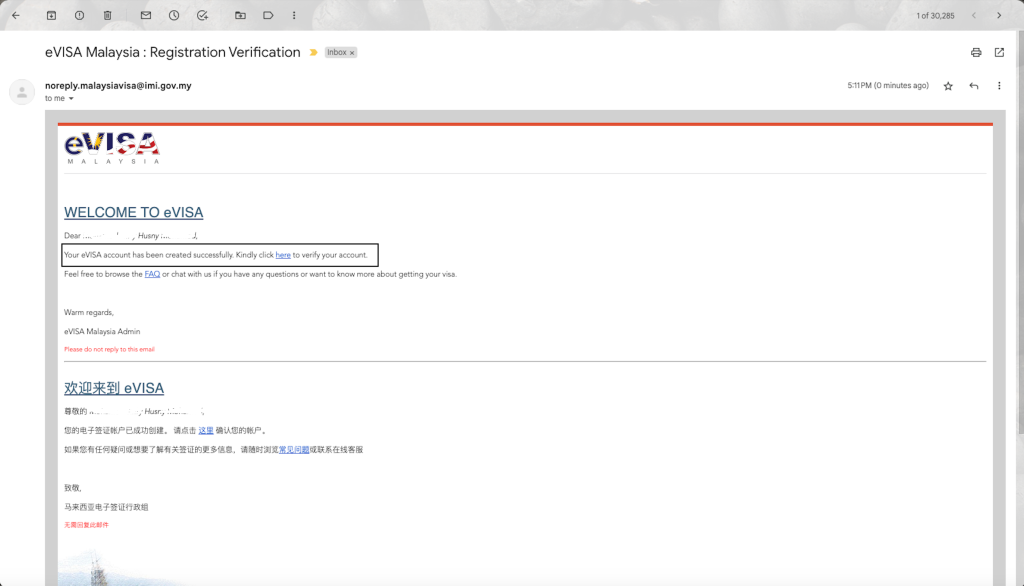
Verify Your Email
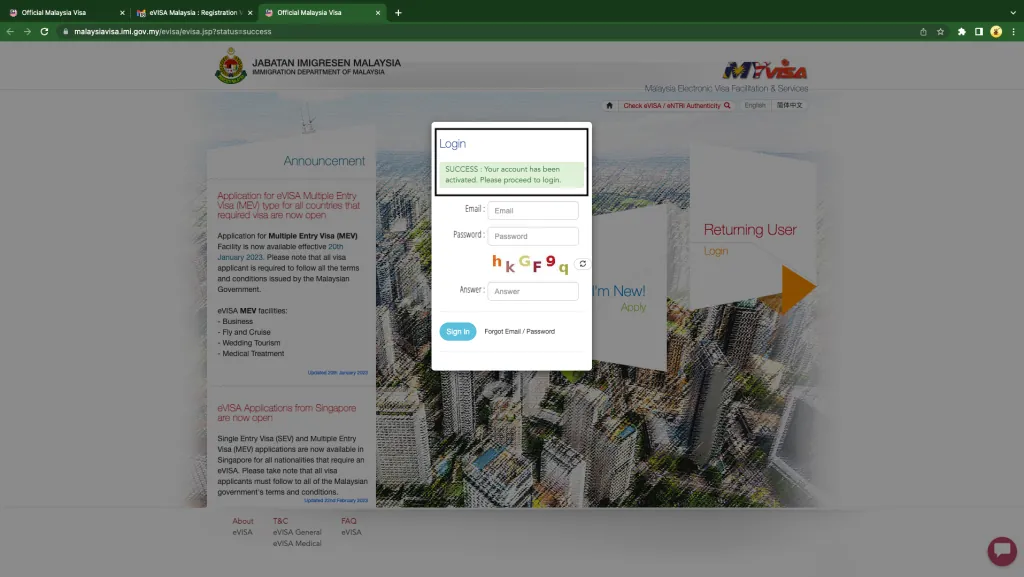
Log In
Step 2: Begin Your Visa Application Process
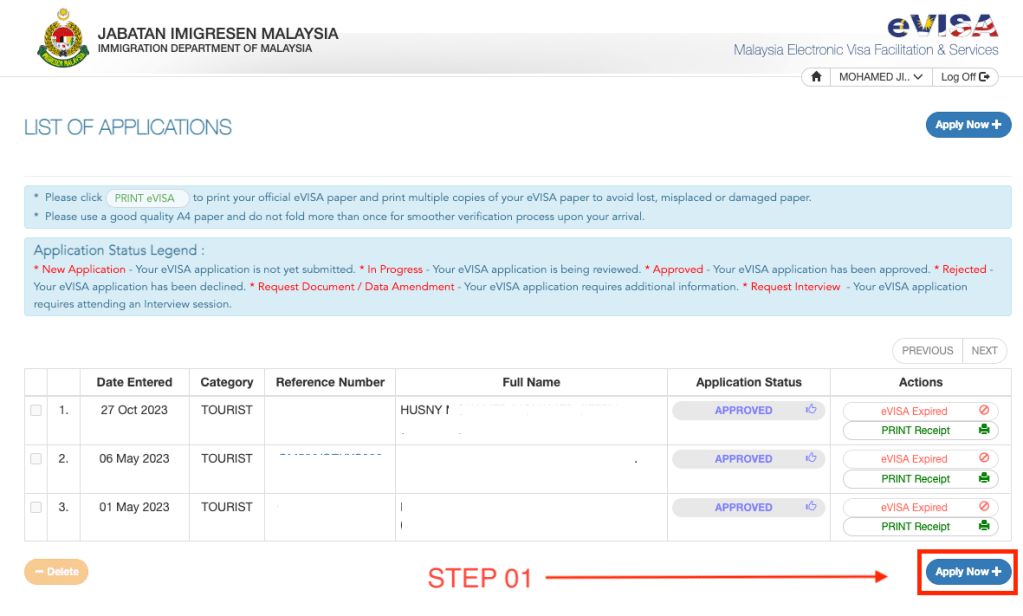
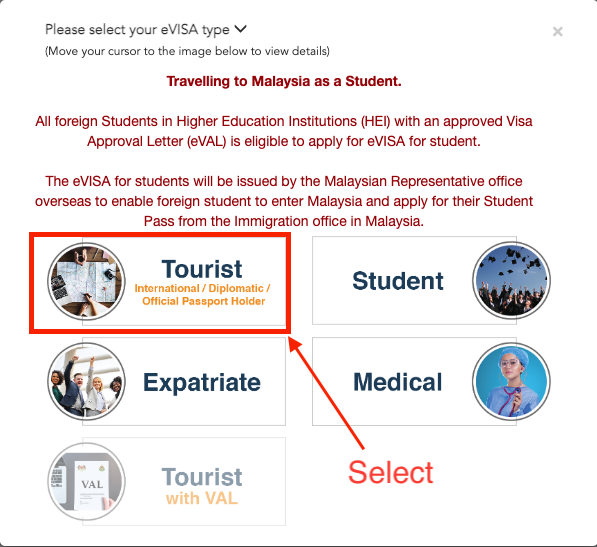
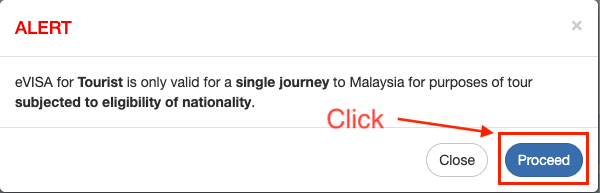
Step 3: Upload Prepared Documents and Complete the Application
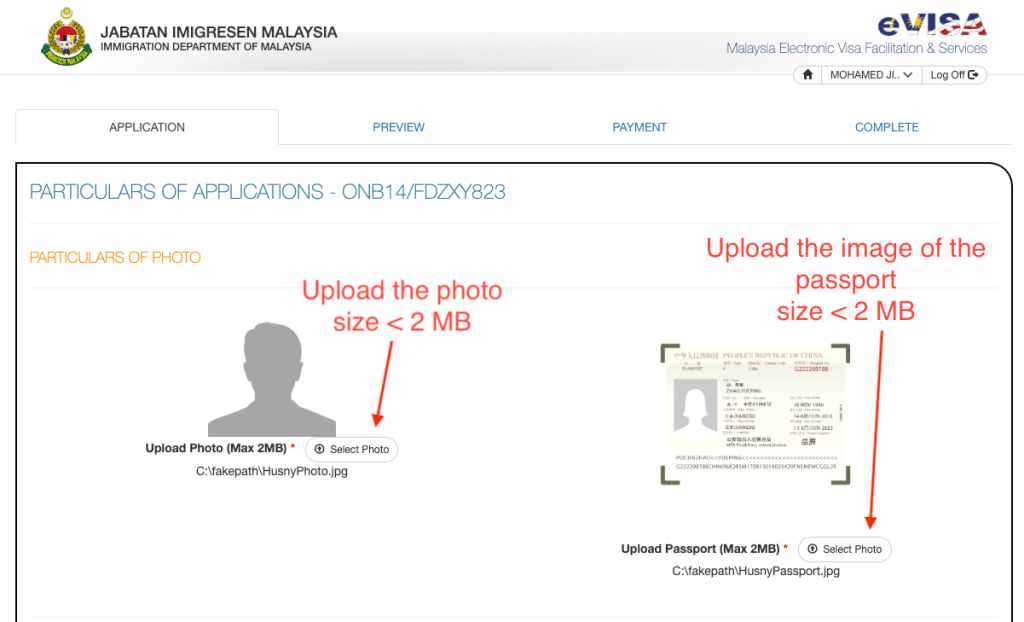
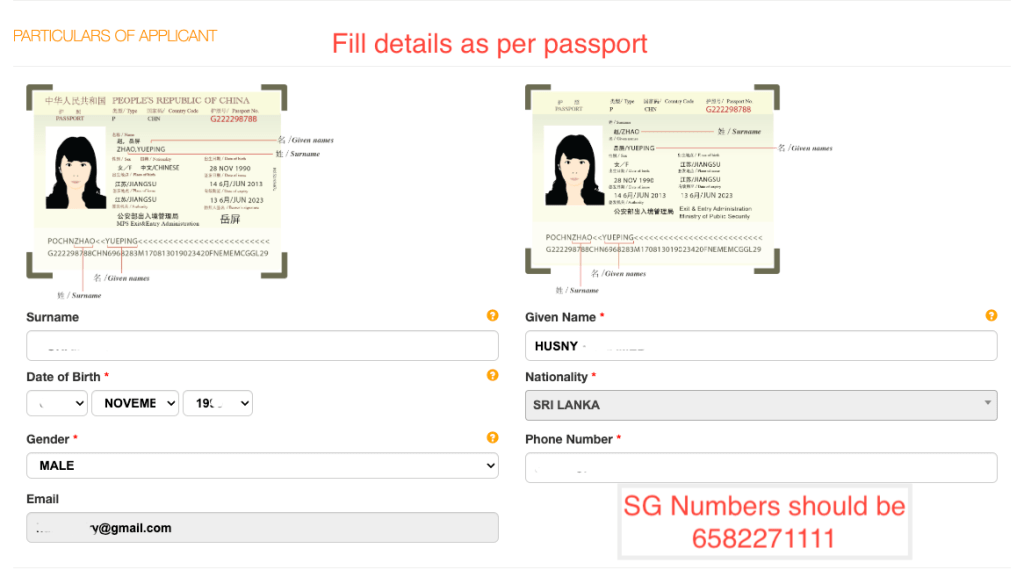
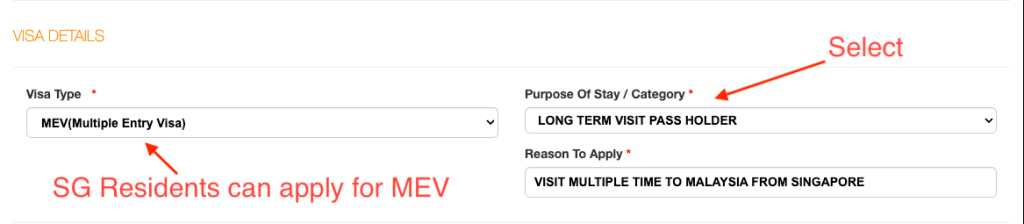
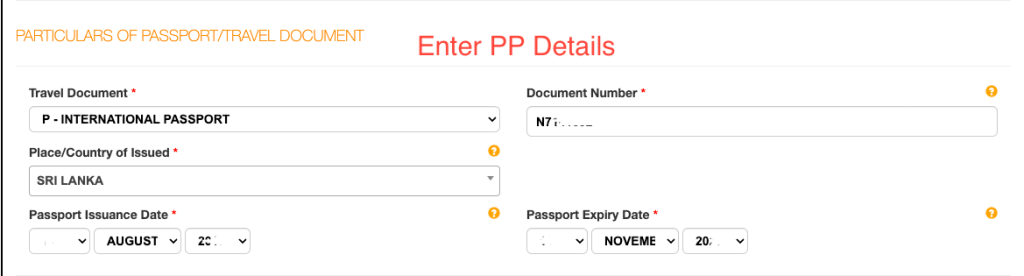
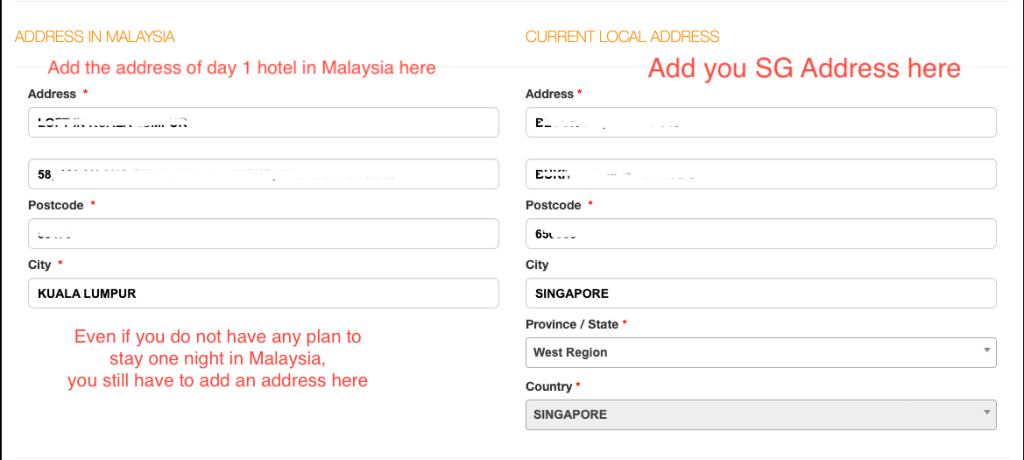
Note (Update August 2025): Please also upload your latest bank statement showing sufficient funds to cover your trip.
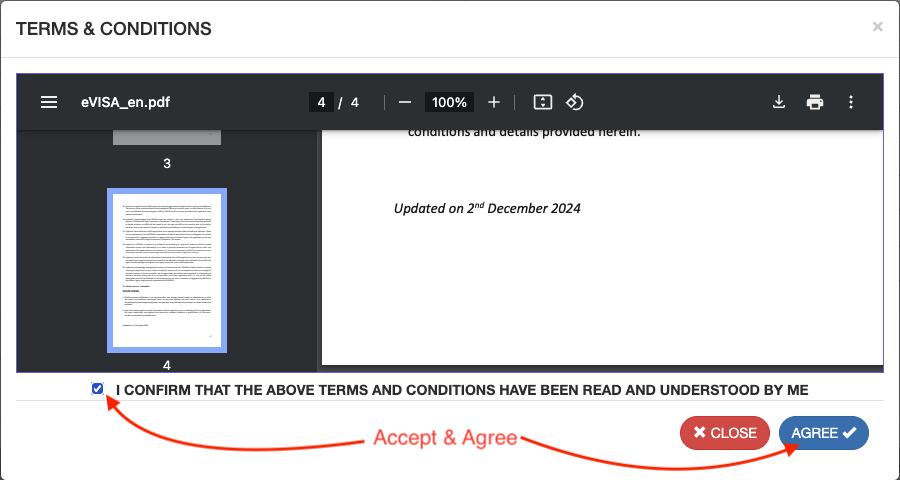
Read and agree to the Terms & Conditions.
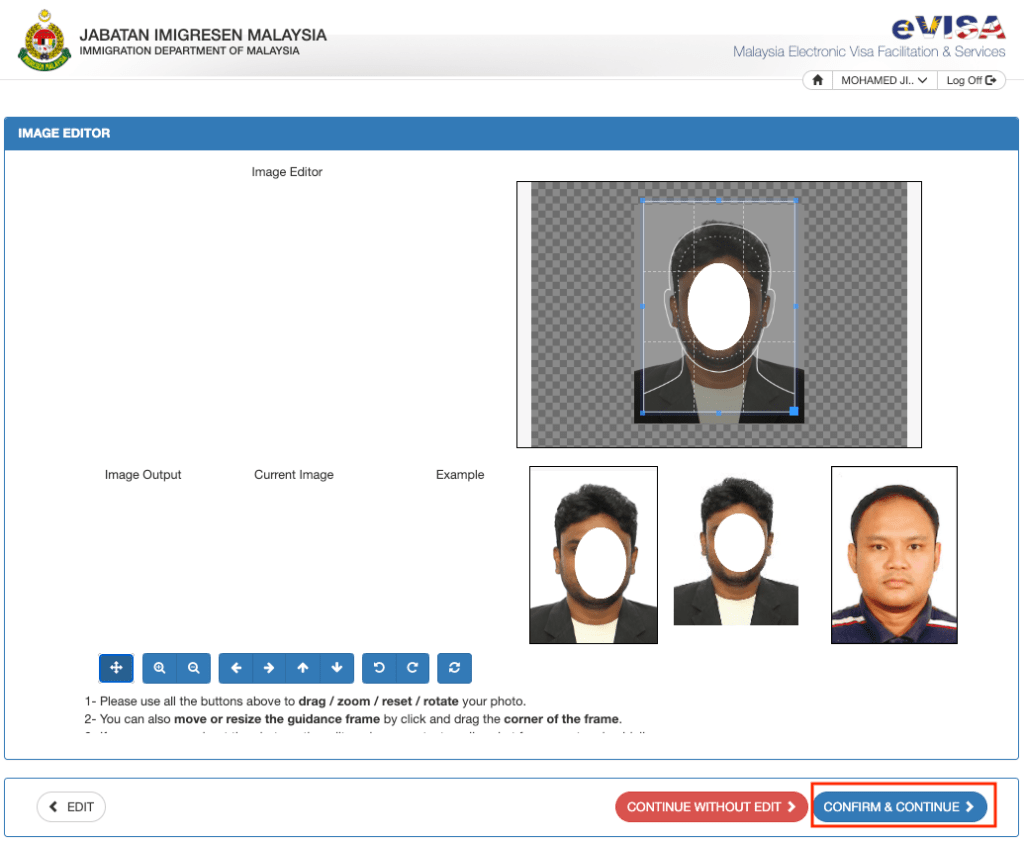
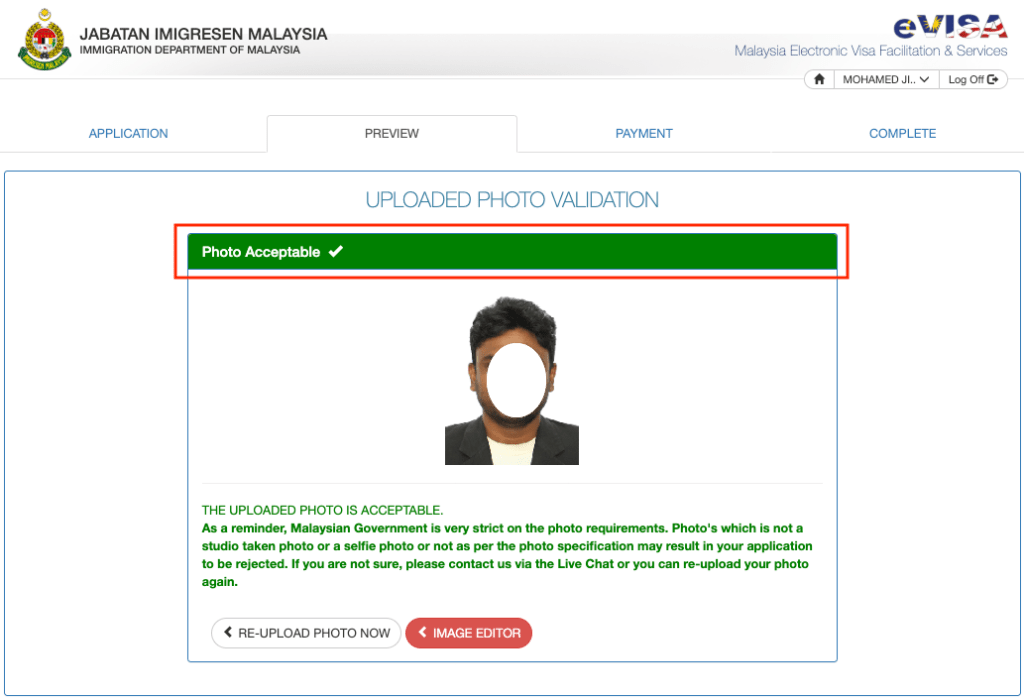
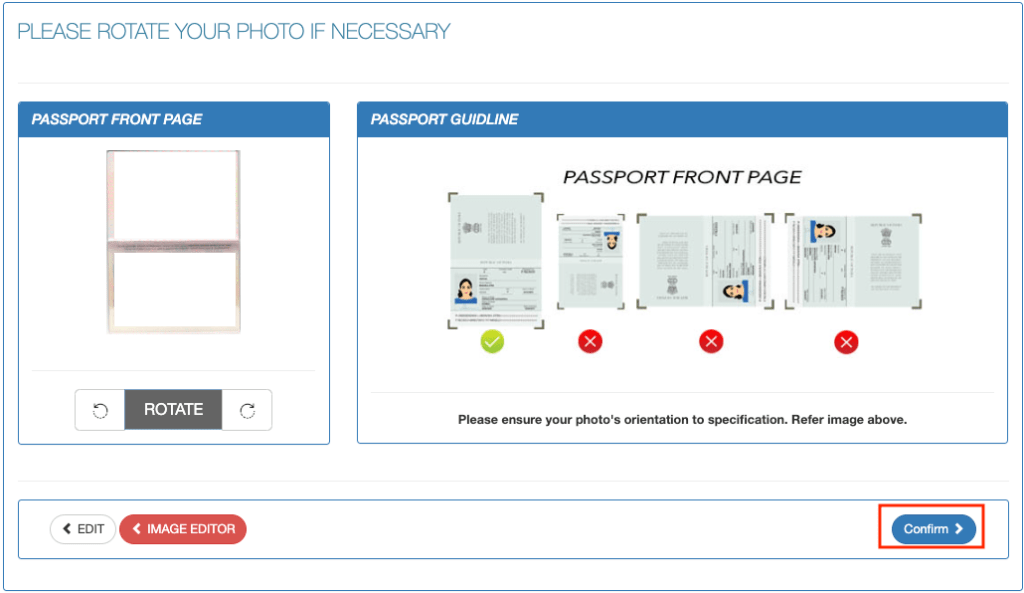
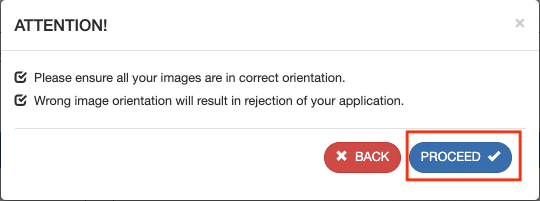
Edit the photo & passport if needed make it acceptable, and proceed.
Step 4: Review Your Application and Proceed to Payment
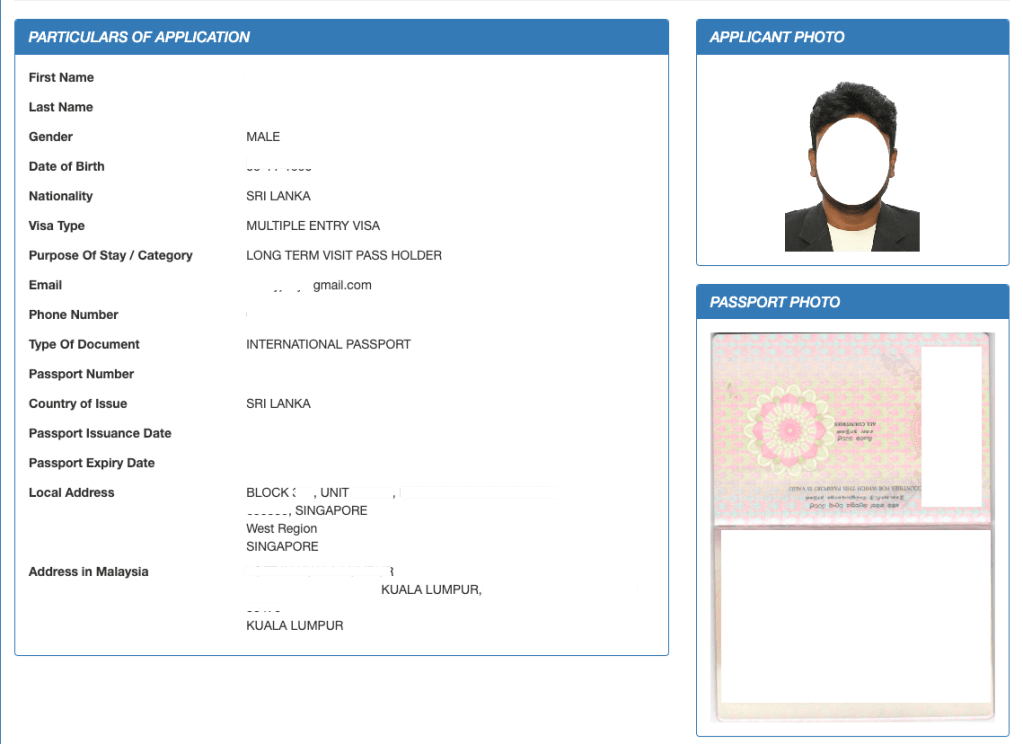
Carefully review the information you entered and the documents you uploaded to your visa application.
If everything is accurate and complete, proceed to the payment section to submit the required visa fee.
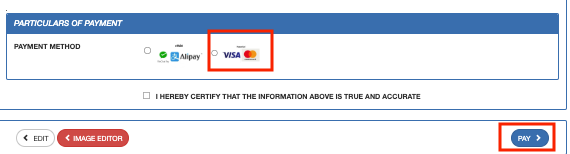
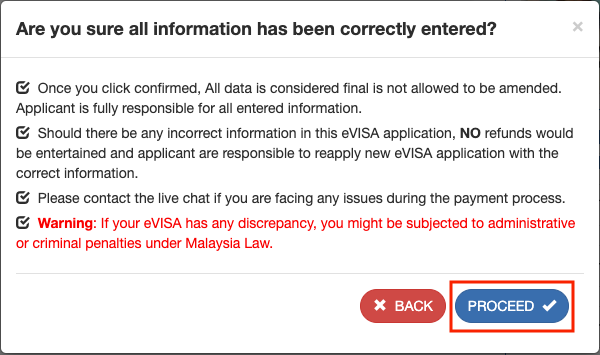
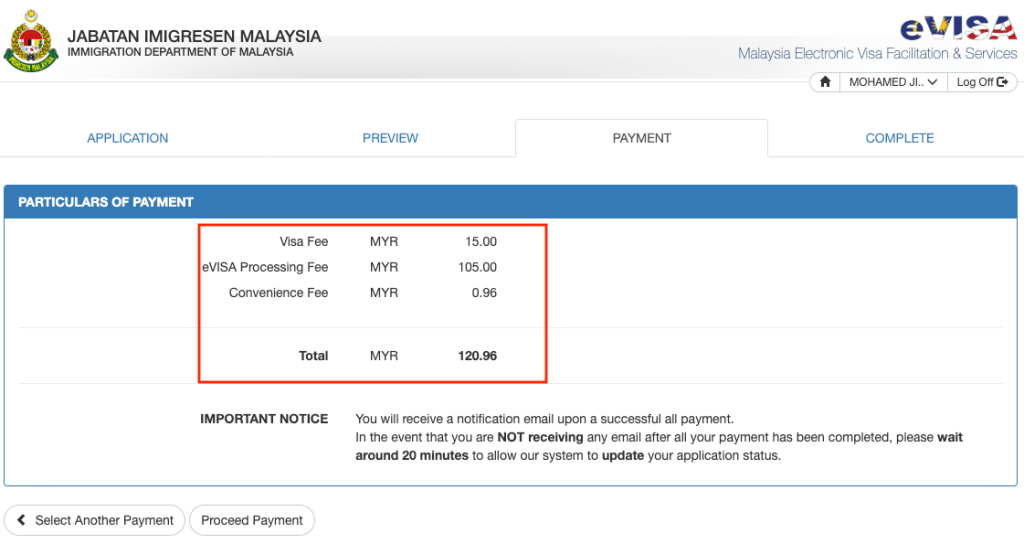
Step 5: Input Card Details and Make the Payment
Enter your card details as prompted and pay the required visa fee.
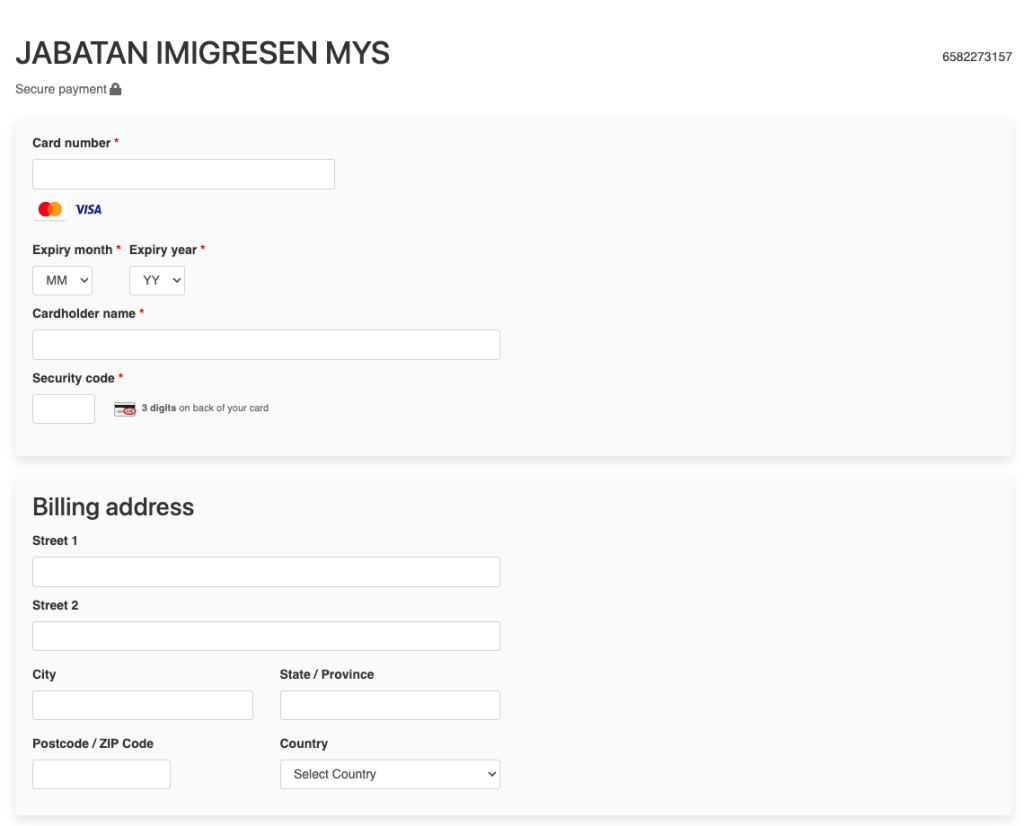
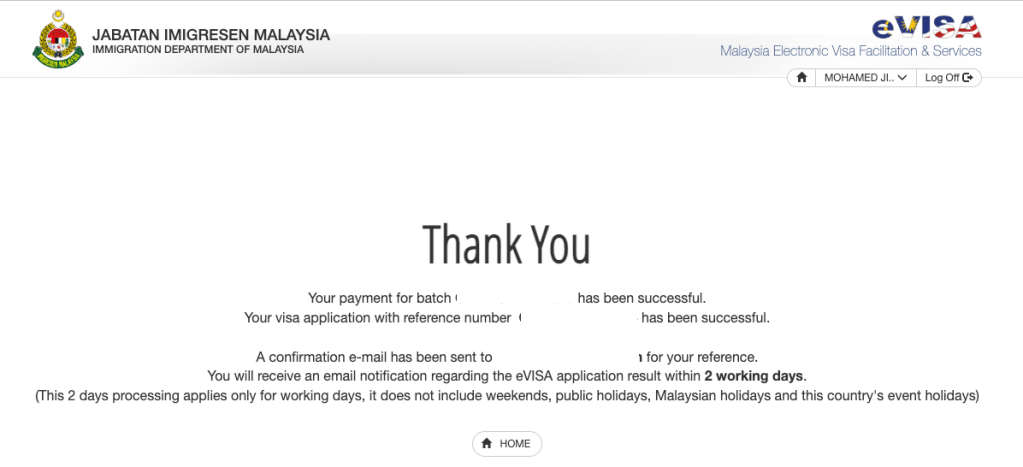
Once you complete the payment, you will receive a confirmation email acknowledging the successful submission of your visa application and payment.
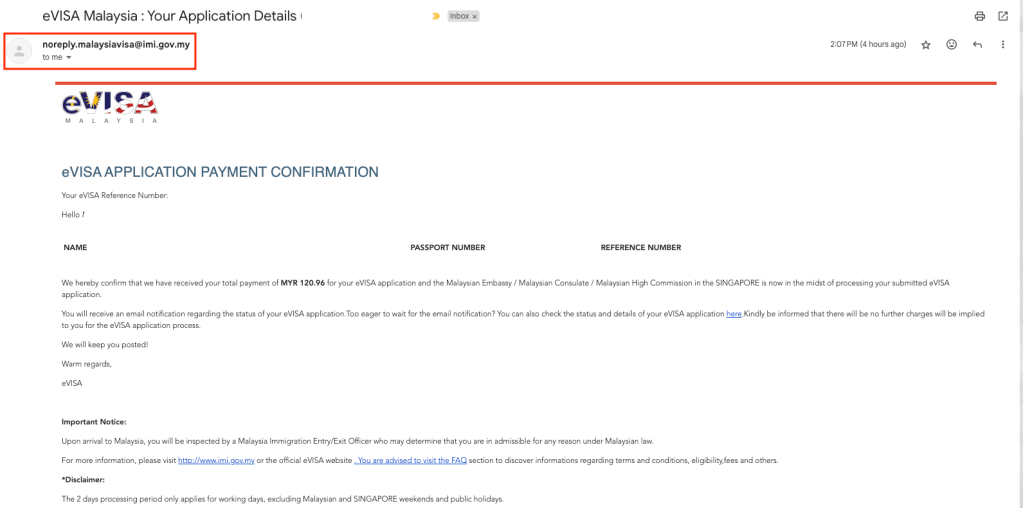
You can view your visa application’s “in progress” status on the application portal.
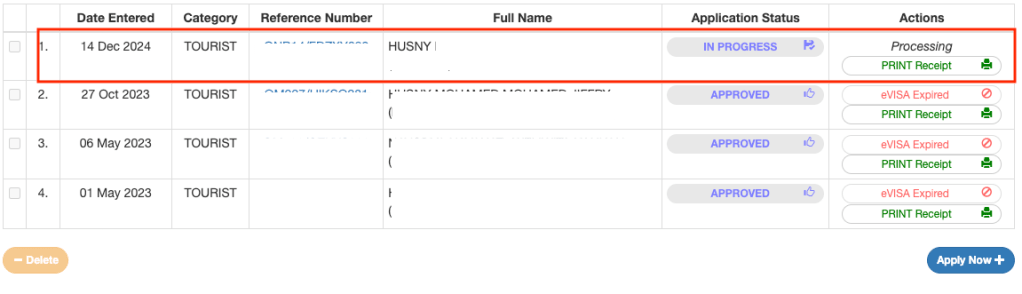
Step 06: Visa Approval and Printing
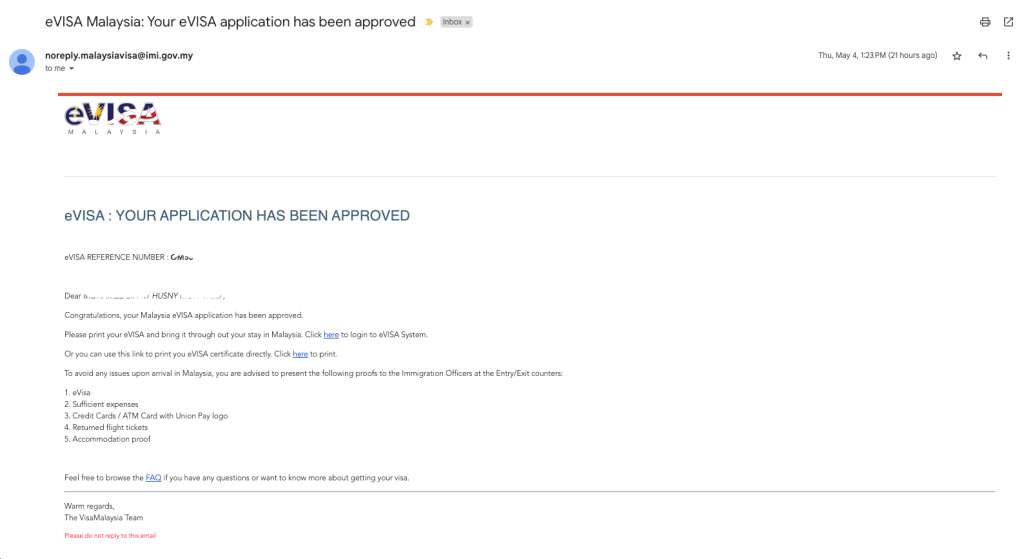
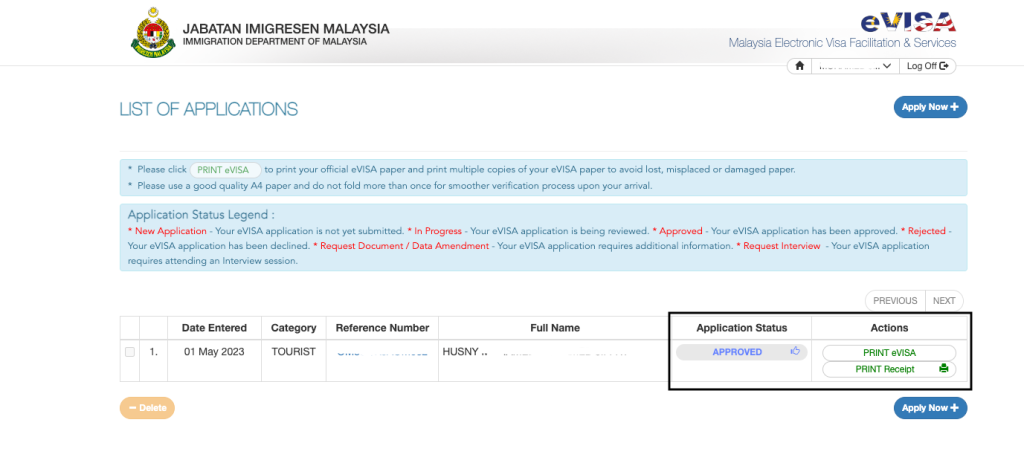
You will receive an email notification containing a link when your visa is approved. Click on this link and navigate to the visa application portal. Log in to your account, and you will see options to print both your visa and payment receipt.
Important Note: Ensure to download it soon. Some people cannot log into the portal one day before they visit Malaysia. This prevents them from downloading the visa to take a printout, which is essential to enter Malaysia.
Step 07: Apply visa for family
After you apply, you can also apply for a visa for your family members (spouse, children, parents) from your account.
Please note that you can only apply for multiple entry visas for family members residing in Singapore. Suppose your parents are visitors to Singapore (not living in Singapore) and want to take them to Malaysia for a short trip. In that case, you can submit a visa application for them from your account with a sponsorship letter. However, it should be a single entry visa.
Required Documents for Parents
This applies if your parents visit you in Singapore and you want to take them to Malaysia for a short trip.
Sponsorship Letter for Parents
- If you are sponsoring your parents, prepare a sponsorship letter stating that you will cover all their travel expenses.
- I added the CMB-SG and SG-CMB air tickets to the sponsorship letter.
- Save the letter as a PDF and name the file with alphanumeric characters, e.g., “SponsorshipLetterToParents.”
Here is a sample sponsorship letter to submit with your visa application if you want to take your parents to Malaysia.
Notification of Electronic Visit Pass from ICA Singapore
- ICA sends a notification letter via email granting a visa for your parents to stay in Singapore. This is required to apply for a visa for your parents.
- Save the notification letter as a PDF and name the file with alphanumeric characters, e.g., “IcaNotificationLetter”
Important Note: Please note that you can not apply for a visa for your parents from Singapore before they come to Singapore. The ICA notification letter is mandatory when applying for a visa from Singapore. Therefore, if you plan to take them to Malaysia during their SG visit, plan the Malaysia trip 3 working days after arrival. So that you can apply for a visa for them soon after they arrive, as the visa process may take 3 working days.
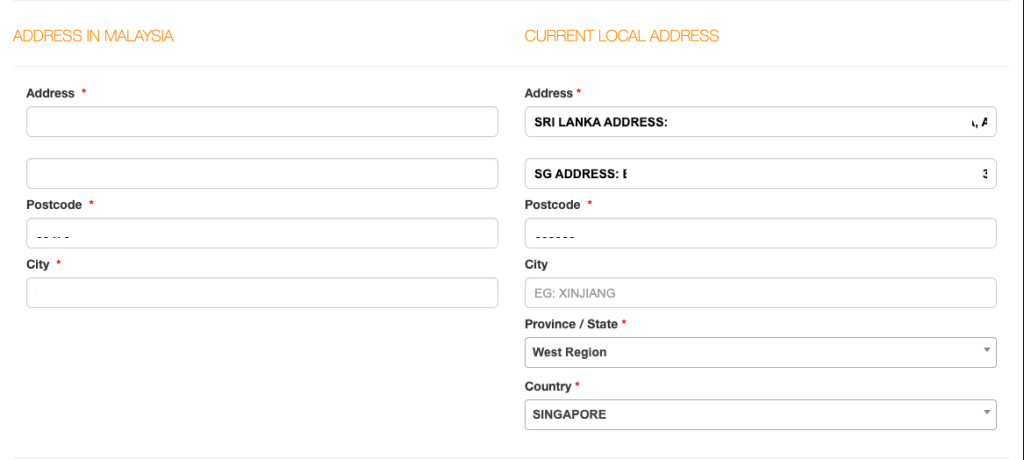
When filling out the application for parents, visa details should be as follows.

Since this is the SG portal, we cannot change the country when entering the address for the parent’s application. I added both the LK and SG addresses under the “Current Local Address” section.
In the parent’s application
- Attach the Sponsorship letter under “Flight Ticket / Proof of Journey.”
- Attach the ICA’s Notification Letter under “SG Arrival / SG Long Term /PR.”
- Attach the hotel booking under “Accommodation”
You can view all your visa application statuses “in progress” on the application portal.
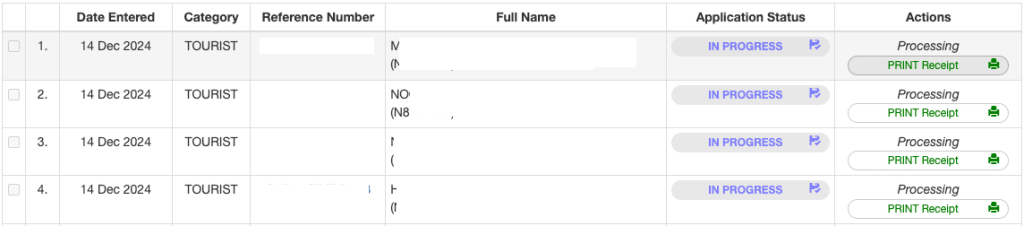
I got all four visa applications (my, my wife’s, my mom’s, and my dad’s) approved in one working day.
By following this step-by-step guide and preparing the necessary documents, you can easily apply for your visa and plan your trip to explore the beautiful neighbouring country of Malaysia. Review your visa application thoroughly before submission, and have a wonderful journey!
That’s it for today, guys. Thank You for Reading! I hope you found this article informative and useful.
If you think it could benefit others, please share it on your social media networks with friends and family who might also appreciate it.