How to send USD from Singapore to an NRFC account in Sri Lanka
A Personal Foreign Currency Account (formally known as an NRFC account) is a special account that can be opened in designated foreign currencies at a local bank in Sri Lanka. With a PFC account, you can send your hard-earned money back to your home country and save in the same currency.
I already published an article on how to transfer money to your LKR account in Sri Lanka. Here’s a link for your convenience.
If you are working in Singapore, you may already have a PFC account in Sri Lanka, and you may need to know how to send USD or SGD to Sri Lanka from Singapore. In this article, I will share how I transfer money from Singapore to my PFC account, which I have with Commercial Bank Sri Lanka.
I use DBS Remit to transfer money. My PFC account with Commercial Bank only supports USD.
Precondition
Before initiating the transfer, be ready with the bank SWIFT code and your PFC account details.
Step 01
Use the DBS Mobile App to access your DBS account.
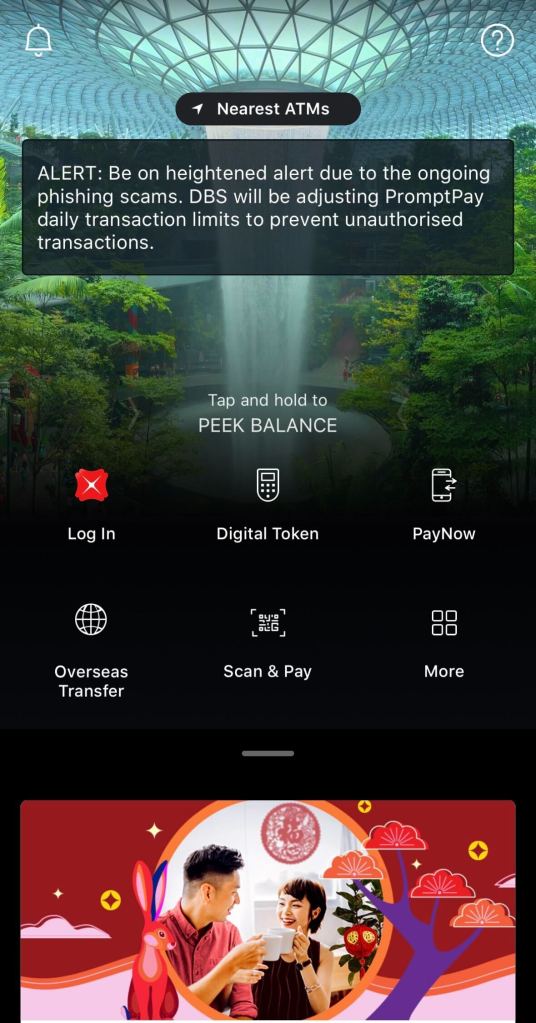
If you do not have an account with DBS, please refer to the article below, which explains how to create your first account with DBS bank.
Step 02
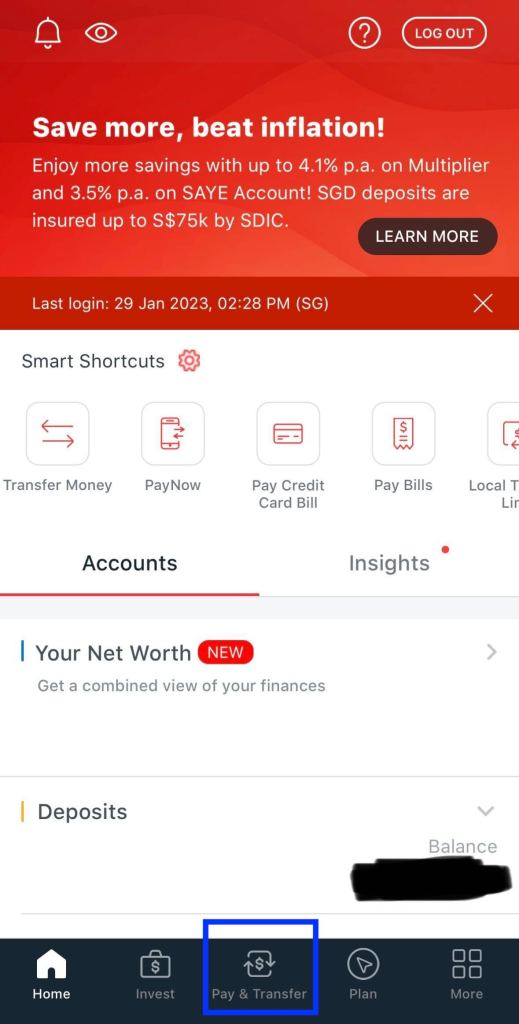
Click on “Pay & Transfer.”
Step 03
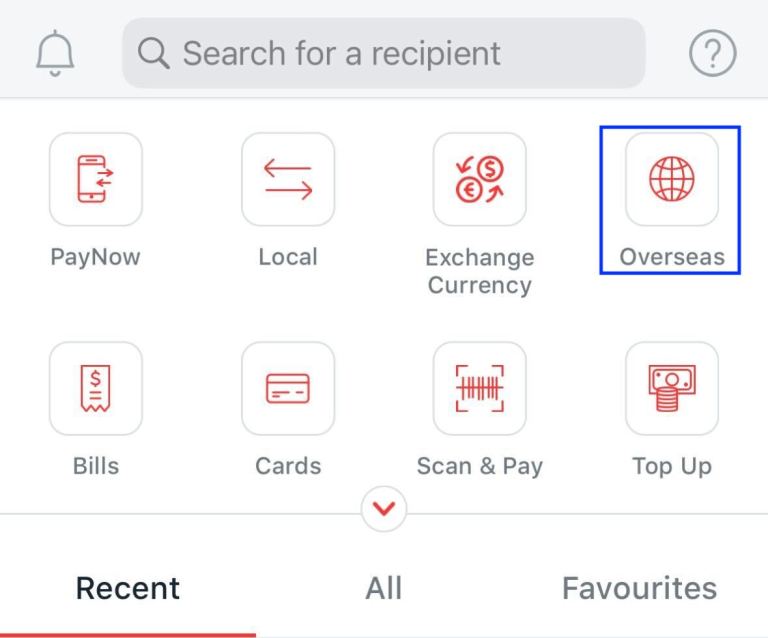
Click on the “Overseas” option.
Step 04
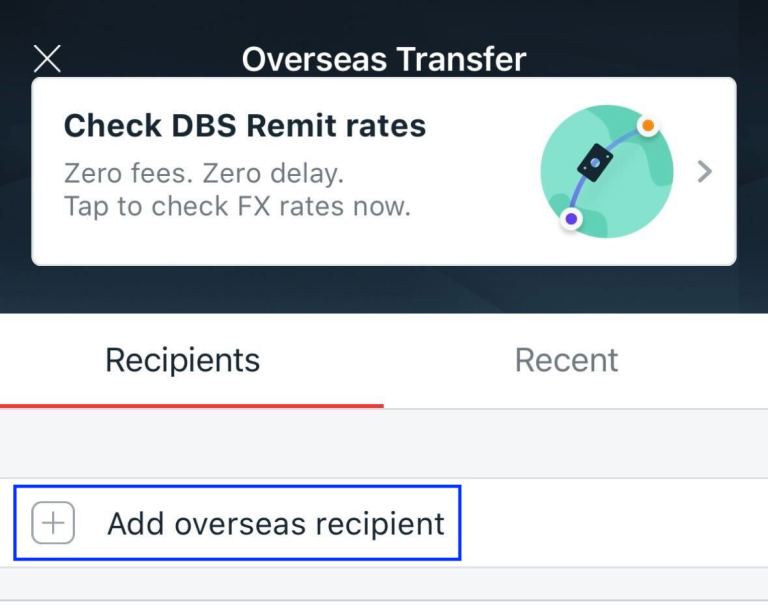
For the very first time, you have to add the recipient to your DBS account. Hence, click on the “Add overseas recipient” option.
Step 05
Search “Sri Lanka” from the country list and select it.
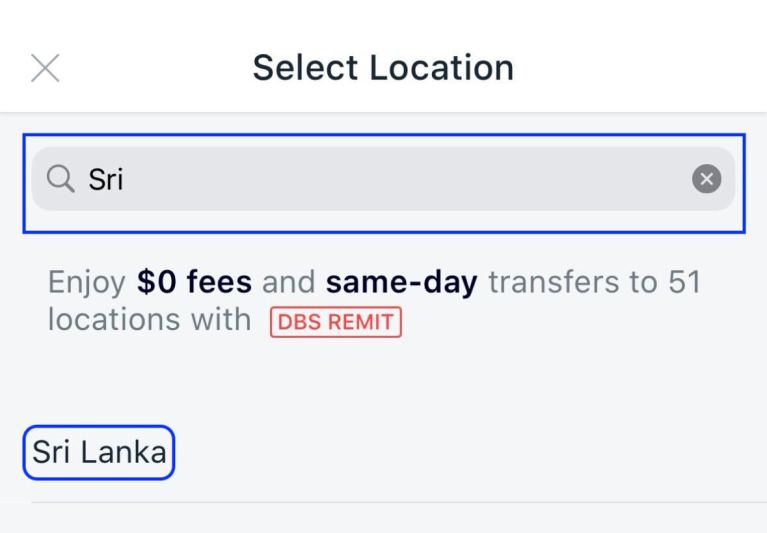
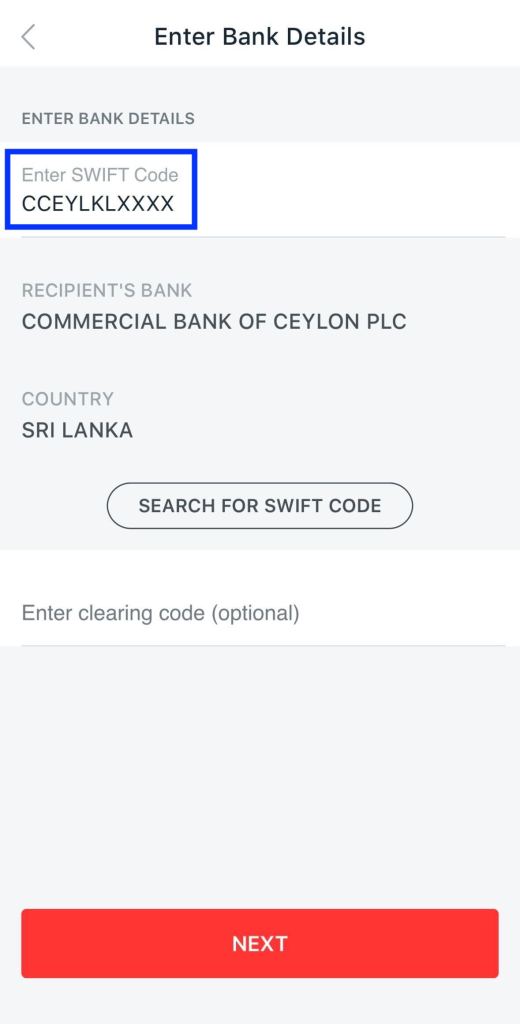
Step 06
Enter the SWIFT code of the Sri Lankan bank.
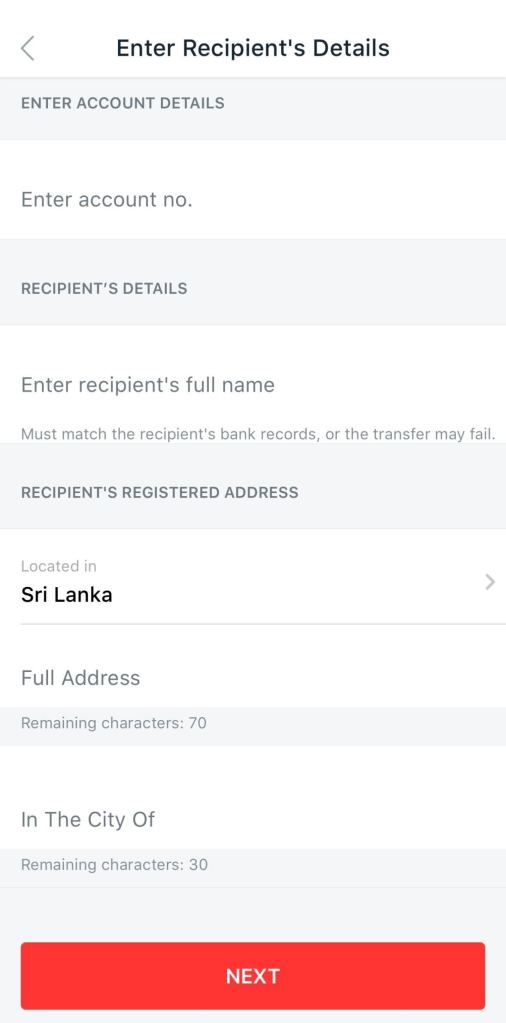
Step 07
Enter the bank account details.
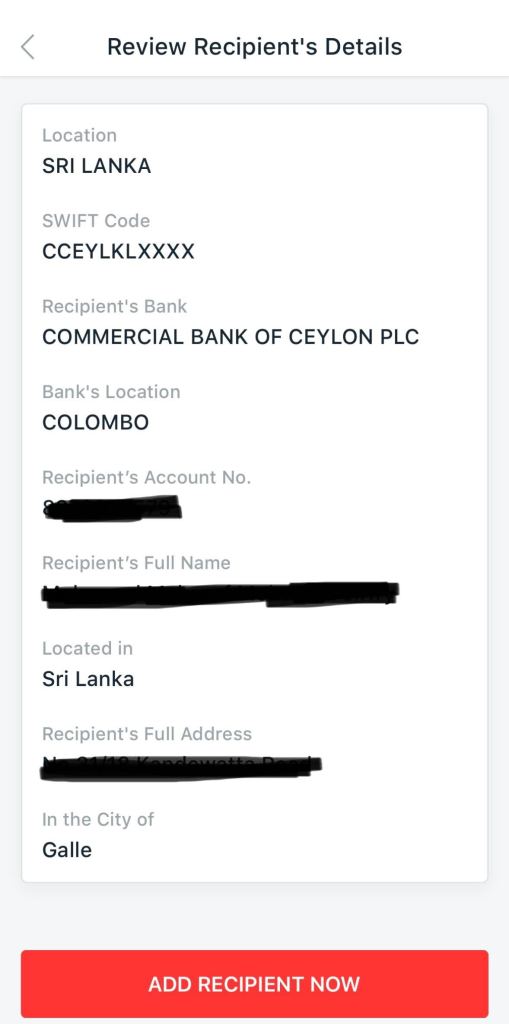
Step 08
Review the bank account details and confirm adding the recipient.
Step 09
Return to the home screen, click on the “Pay & Transfer” option, and then click on the “Overseas” option. You should be able to see the recipient details that you have added. Select the recipient.
Step 10
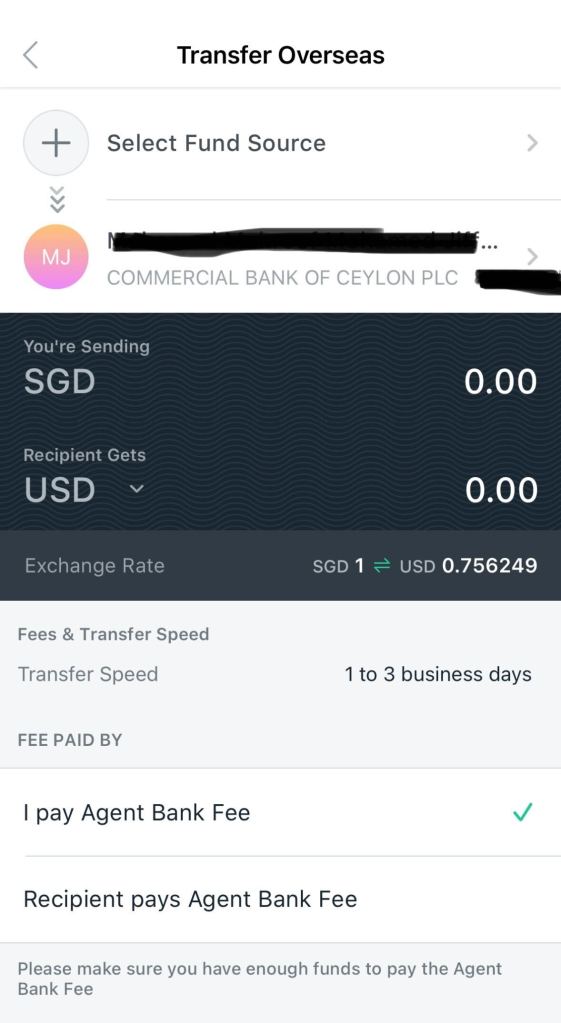
Select the fund source and select USD as the recipient’s currency.
Step 11
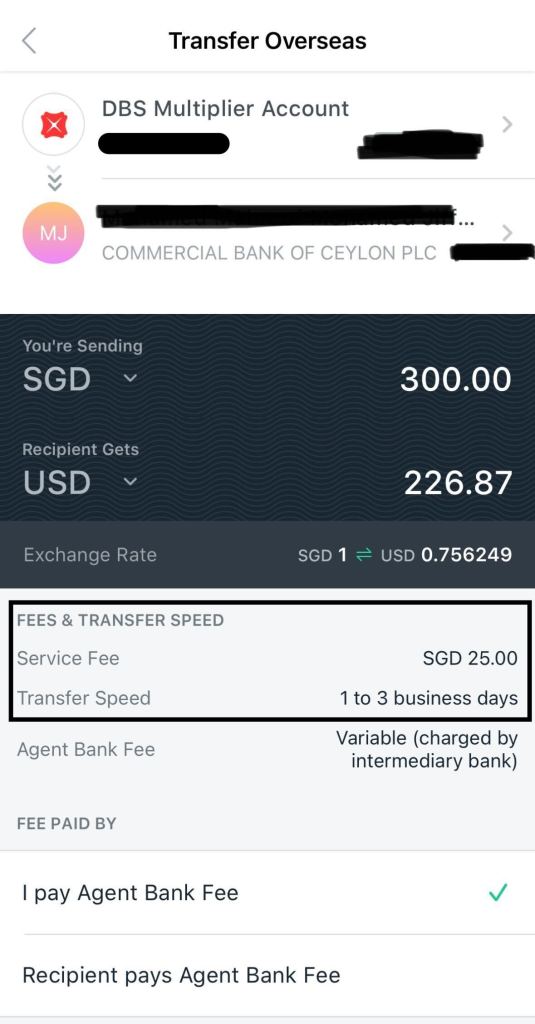
Enter the amount you want to transfer, and you will see how much the recipient gets and what the bank charges.
Step 12
Click on “Next,” review the transfer details, and complete the transfer.
That’s it for today, guys. Thank You for Reading! I hope you found this article informative and useful.
If you think it could benefit others, please share it on your social media networks with friends and family who might also appreciate it.