How to send money to Sri Lanka from Singapore
TL;DR
The most common way to send money from Sri Lanka to Singapore is using the Wise application. Please use the link below to download and create an account in Wise.
If you have a SingPass account, setting up an account in Wise is straightforward. Please see the steps in the “How to create a wise account” section if you need a step-by-step guide.
Full Article
One frequently asked question by newbies to Singapore is how to send money to Sri Lanka. In this article, I will share a legal, fast and cheapest way to send money to your loved ones back home in Sri Lanka.
I already published an article on how to transfer USD to your NRFC/PFC account in Sri Lanka. Here’s a link for your convenience.
Use ONLY official channels
I will write another article about the risks of transferring money through an unofficial channel. It comes with a heavy price for a small reward. Hence that risk is not worth taking. Remember that you are responsible for the money you have sent and received. You should be able to justify it if any legal issue comes up.
I highly encouraged and urged you to send money to Sri Lanka only through official channels because workers’ remittances are the largest single source of foreign exchange inflow in Sri Lanka. The country uses the money from workers’ remittances to import essentials. Hence, transferring money through the official channel is crucial for the motherland.
The main reason for the current crisis is that Sri Lanka has lost all of its foreign reserves and cannot afford essential imports like gas, fuel, medicine, food etc. That is because some foreign workers stopped transferring money to Sri Lanka, and the majority started transferring money through unofficial channels for better rates due to some bad decisions made by Sri Lankan authorities. However, due to a change in the monetary policy in late 2022, foreign workers now get a better rate for their hard-earned money comparatively.
I think there is no point in getting a few extra rupees if your loved one wants to queue for a couple of hours to get some fuel or gas. Hence, consider using official channels when transferring money to Sri Lanka.
Wise is one of the famous applications for transferring money to Sri Lanka from anywhere in the world. It’s legal, fast, and supports most Sri Lankan local banks. Consider using the below link to download the application and create an account with wise.

How to create a wise account
Preconditions
Once you receive your work pass (PEP, EP or S Pass) or work permit, go to a community centre and create a SingPass account. You can create a SingPass account online as well using this link.
Please refer to the screenshots below.
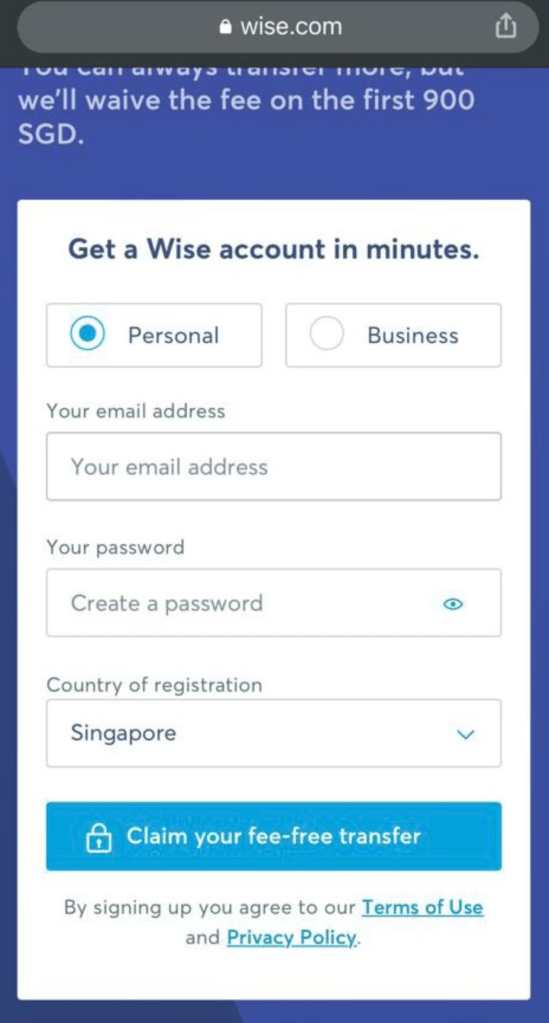
Step 01 Enter your email address and set a password for your Wise account
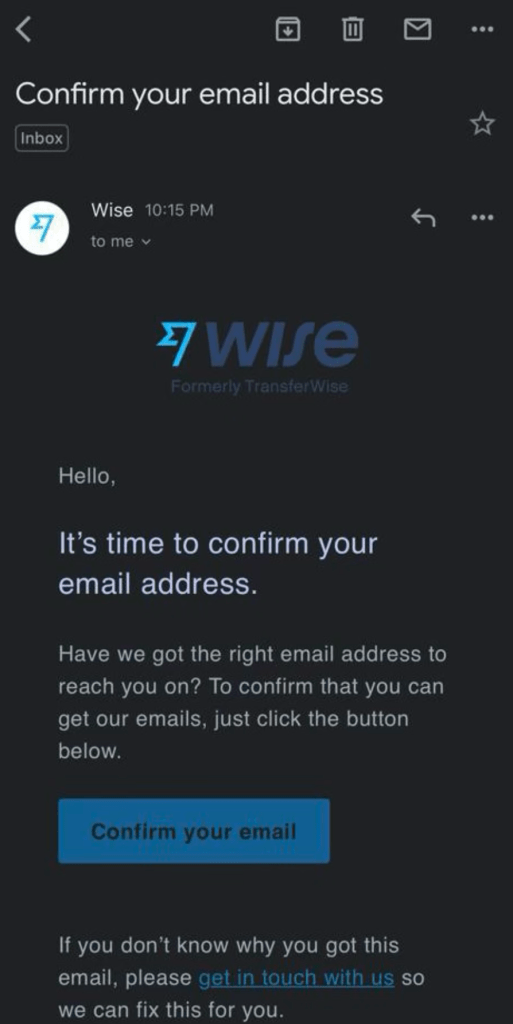
Step 02 Confirm your email address
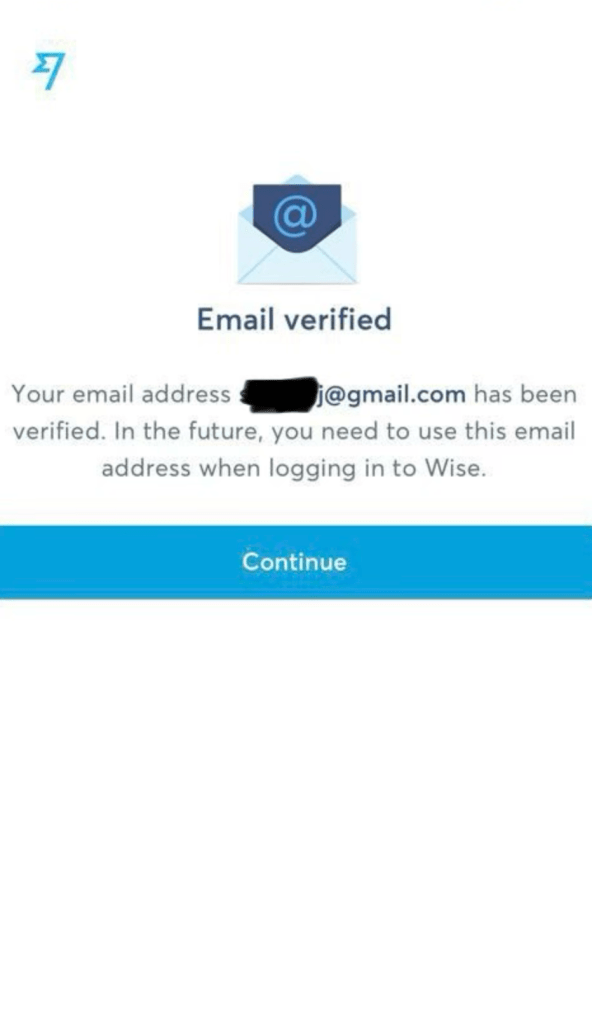
You will see a screen like this if your email address is verified.
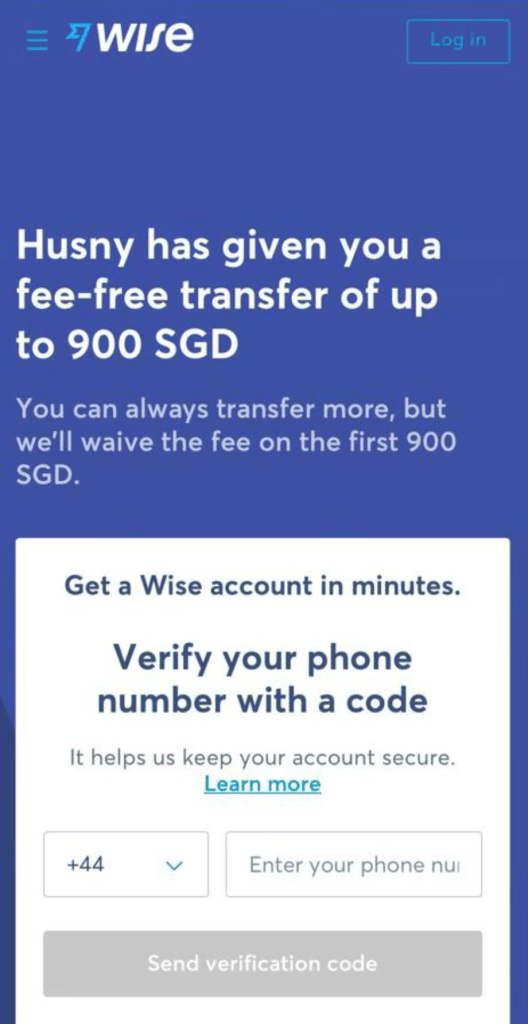
Step 03 Enter your Singapore mobile number and request a verification code.
Step 04 Enter the OTP received to your mobile number and verify it.
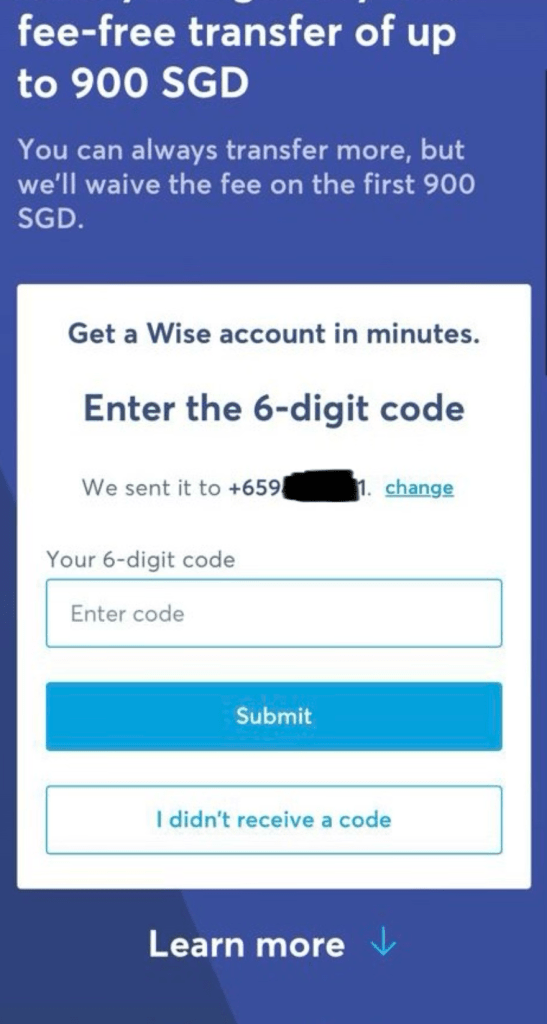
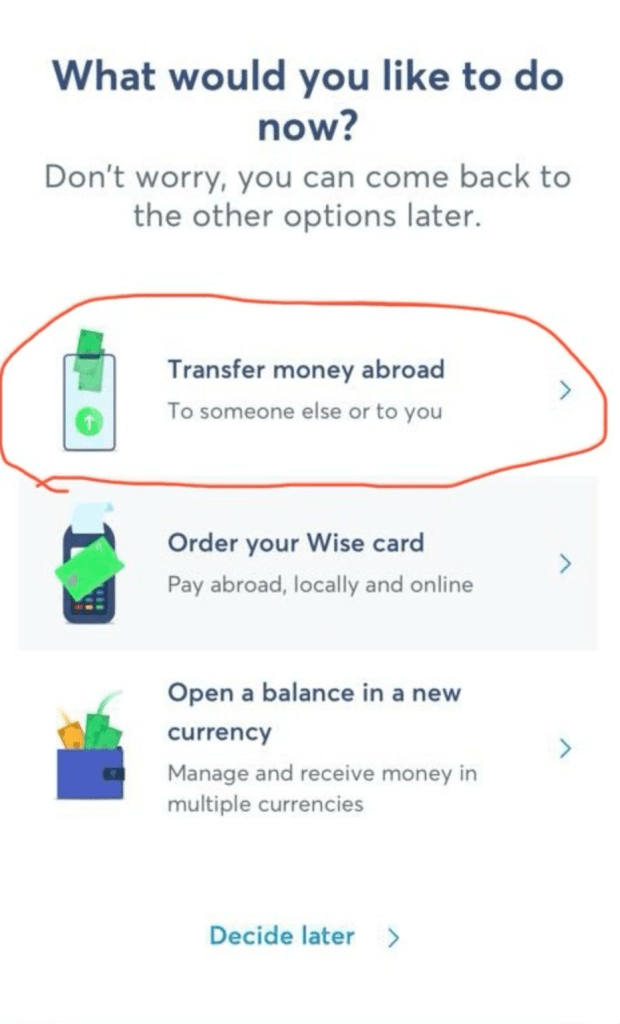
Step 05 Select the transfer money abroad option from this screen.
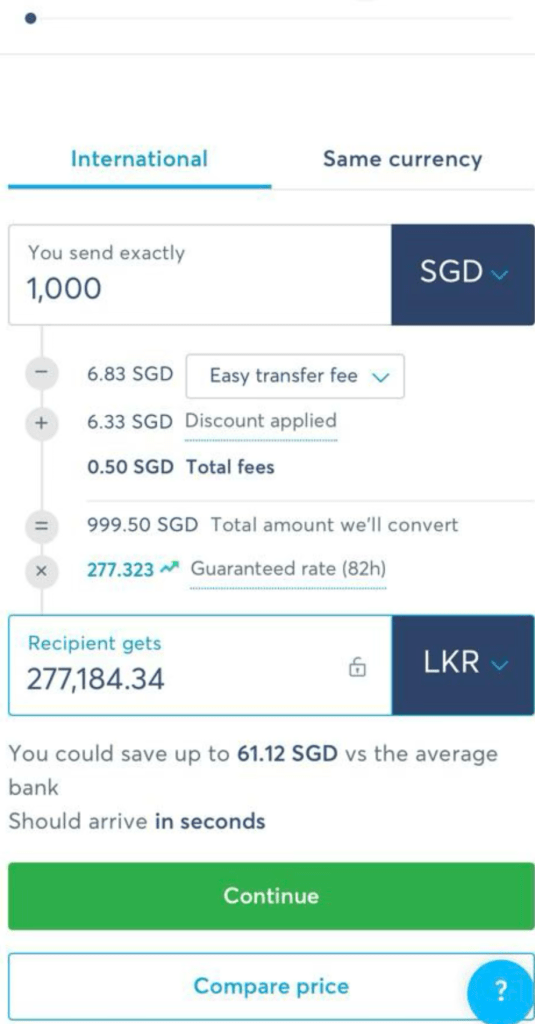
Step 06 Enter the amount you want to transfer
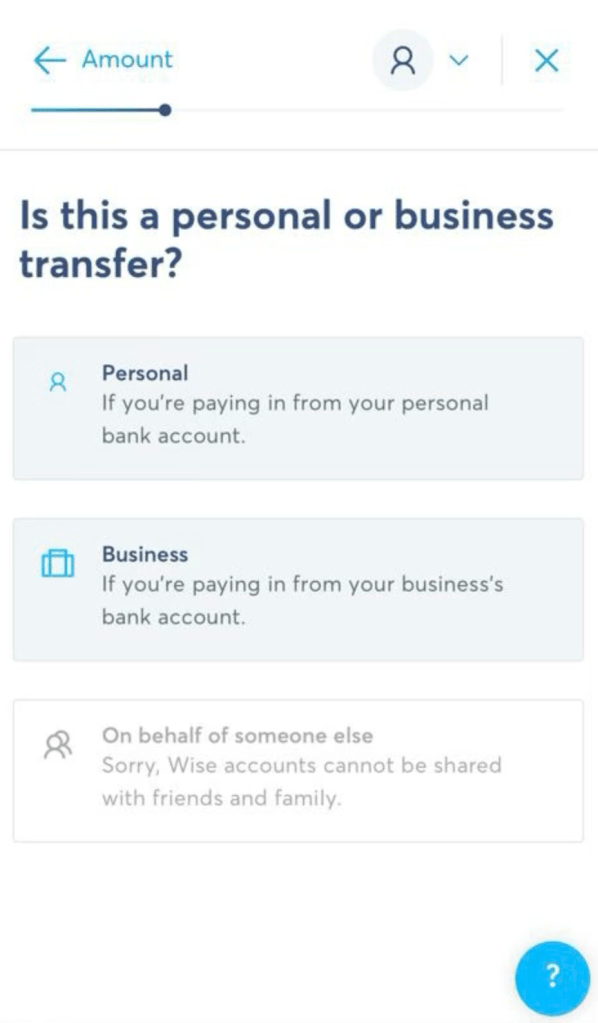
Step 07 Select relevant option from this screen (Personal or Business)
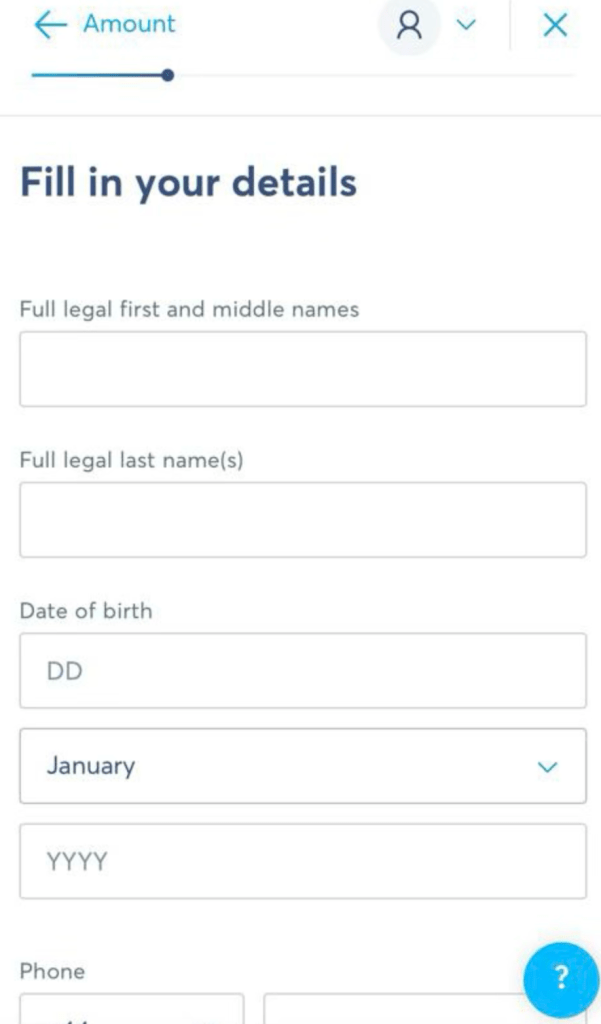
Step 08 Fill in your personal details
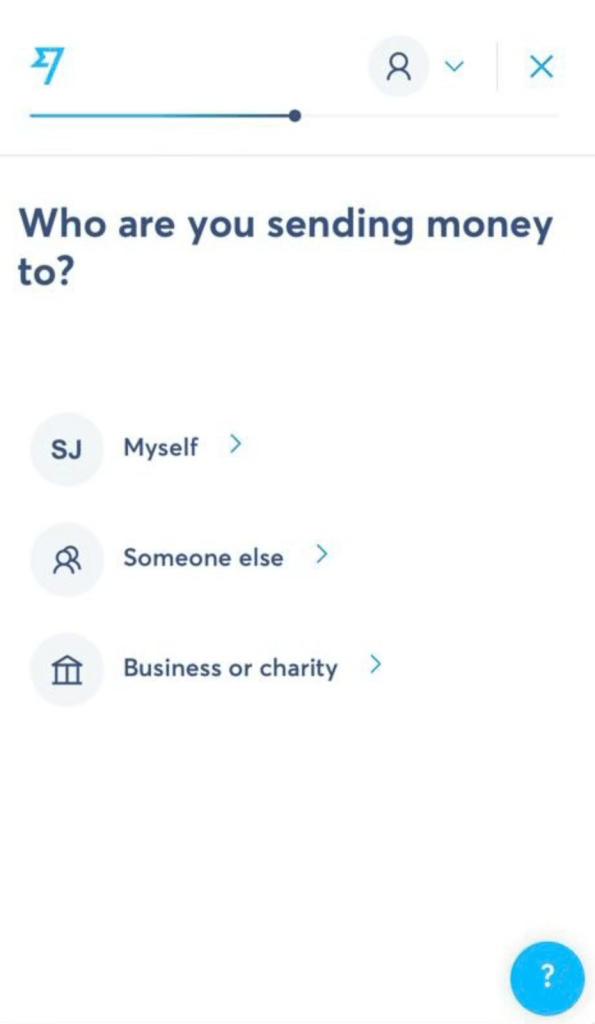
Step 09 Select an option: “Who are you sending money to?”
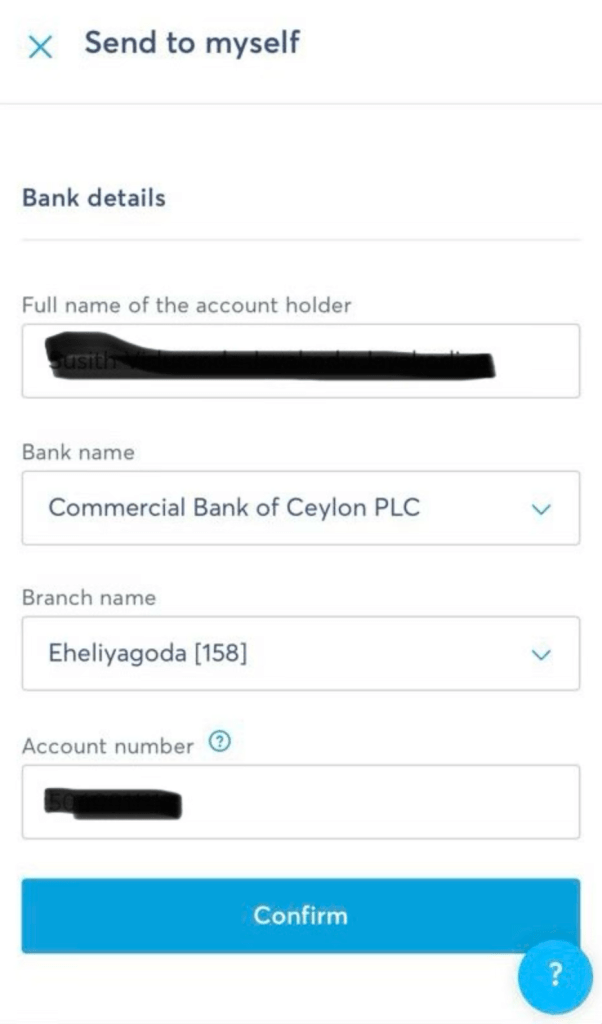
Step 10 Enter Sri Lanka’s local bank account details to which you want to send money. If you have selected the “Myself” option from the previous screen, your name will be automatically applied to this screen.
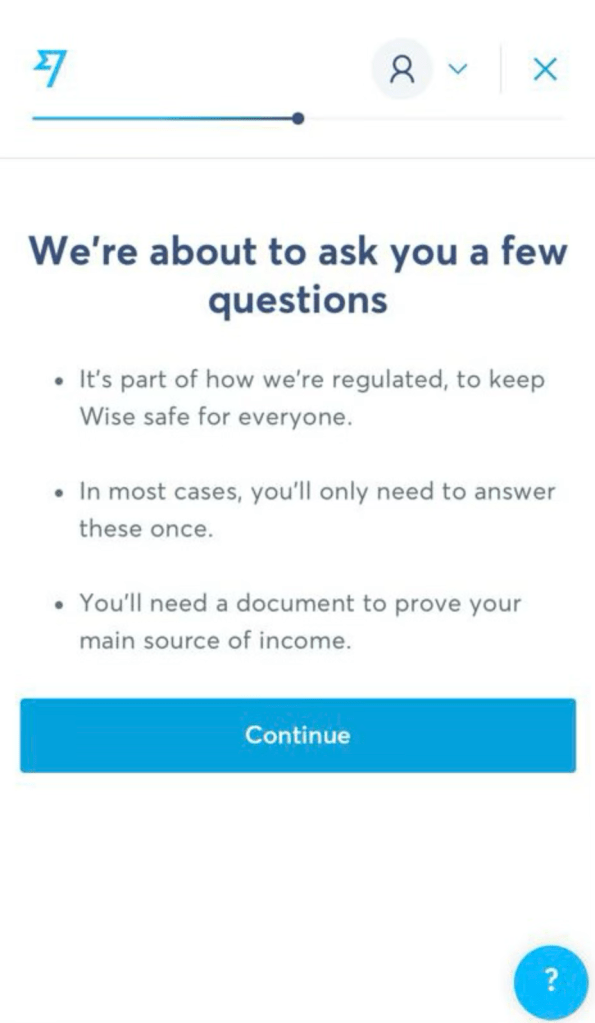
Step 11 Answer to the question below
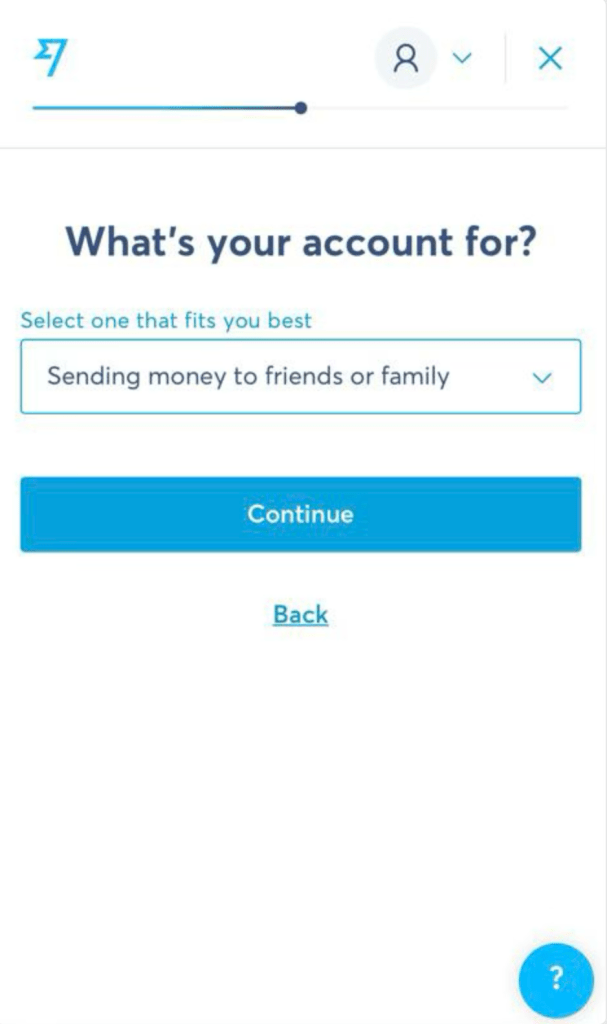
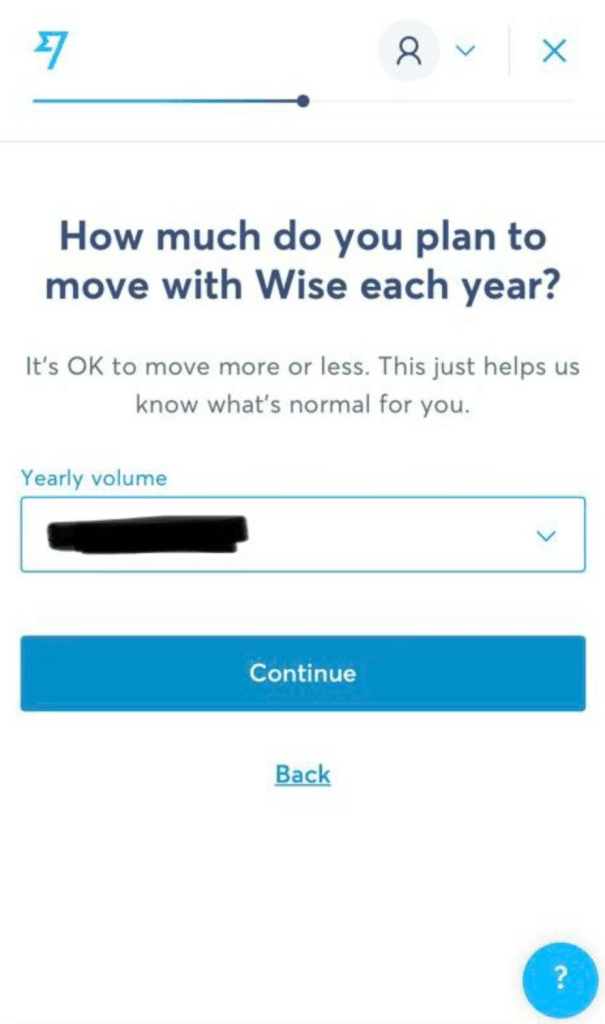
Step 12 Complete the Wise account verification via SingPass.
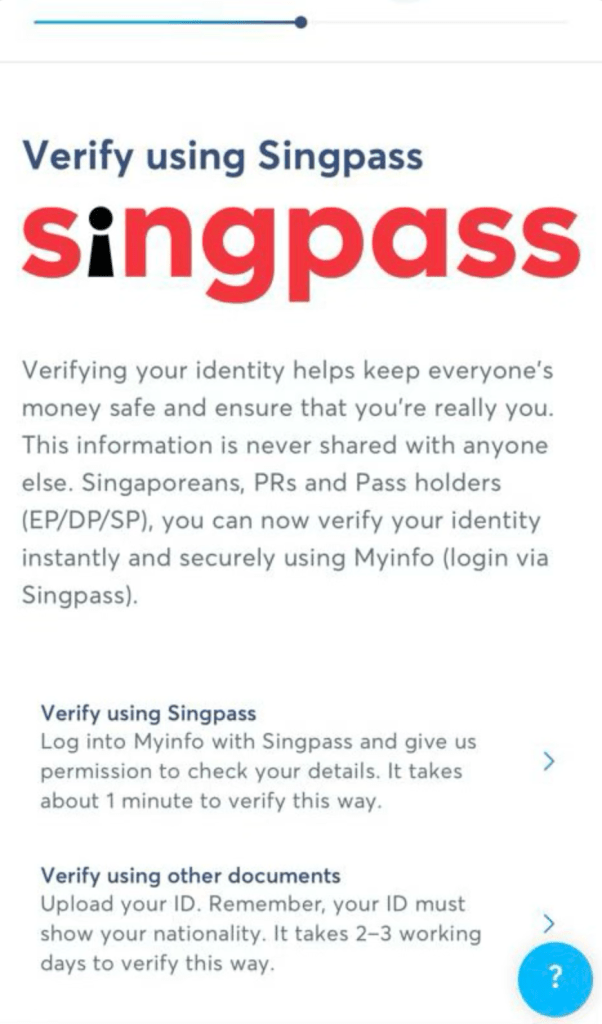
Wise supports several ways to transfer SGD from your Singapore account to Wise. I personally prefer the PayNow option. You can choose any options from below.
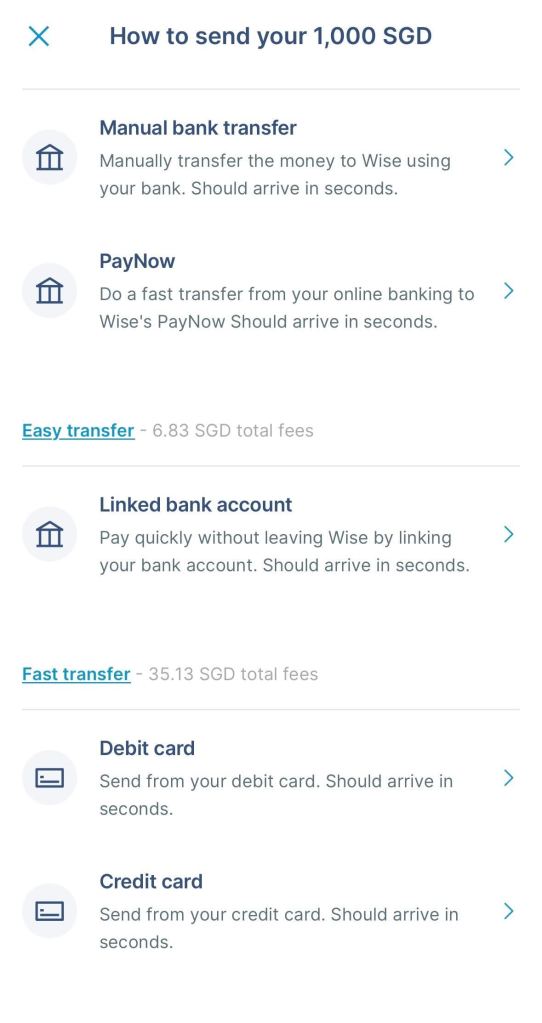
As per my experience, in most cases, money is received in Sri Lanka account within 2 minutes.
If you find this useful, consider sharing this guide with your friends who recently relocated to Singapore. Also, always encourage your friends to send money to Sri Lanka only via legal channels.
That is it for today. Thanks for reading.
If you want to support this website, you can contribute via Ko-fi.