How to manage test cases while maintaining a high level of visibility into the status of test automation
How to manage test cases while maintaining a high level of visibility into the status of test automation?
Software testing is the process of testing the software for defects. Software testers followed a set of written test cases (aka manual test cases) to ensure the completeness of testing. It’s crucial t manage test cases properly as the number of test cases grows as the project grows larger and larger.
This article is not about “Test design techniques” but “How I think before designing test cases” This piece is based on my experience working as a software quality engineer in an agile environment.
First, I want to set the stage for the discussion so you can grasp the concepts I introduce.
Most organizations use agile methodologies or are transitioning from traditional approaches to agile. Scrum is a well-known agile methodology that many software teams employ when developing software in an organization.
Scrum is a straightforward set of practices. When you practice it in real-world software projects, it creates a massive amount of visibility. It enables you to clearly see “where you are” and “where you need to be” and also helps you make major decisions. As team testers, we are also responsible for maintaining visibility as Scrum team members.
Completing all the test activities related to the current Sprint in a scrum environment is a significant challenge. Completing a regression due to feature changes or adding/removing features is one of the challenges that agile testers face. As a result, most organizations are shifting from manual to automated testing. Test automation allows testers (referred to as developers in the Scrum environment) to complete proper regression in less time than manual testing. However, most of the time, it is only possible to automate some of the test cases, not all of them.
While performing test activities in a software project, testers should maintain a high level of visibility to allow team members and other stakeholders to see the test activities’ status clearly. The statistics listed below will be useful in this regard.
Assume a software team is developing a web application using the micro-service architecture. In this case, the testers are testing at the back-end API and front-end GUI levels.
Here are some interesting statistics to help you understand the situation.
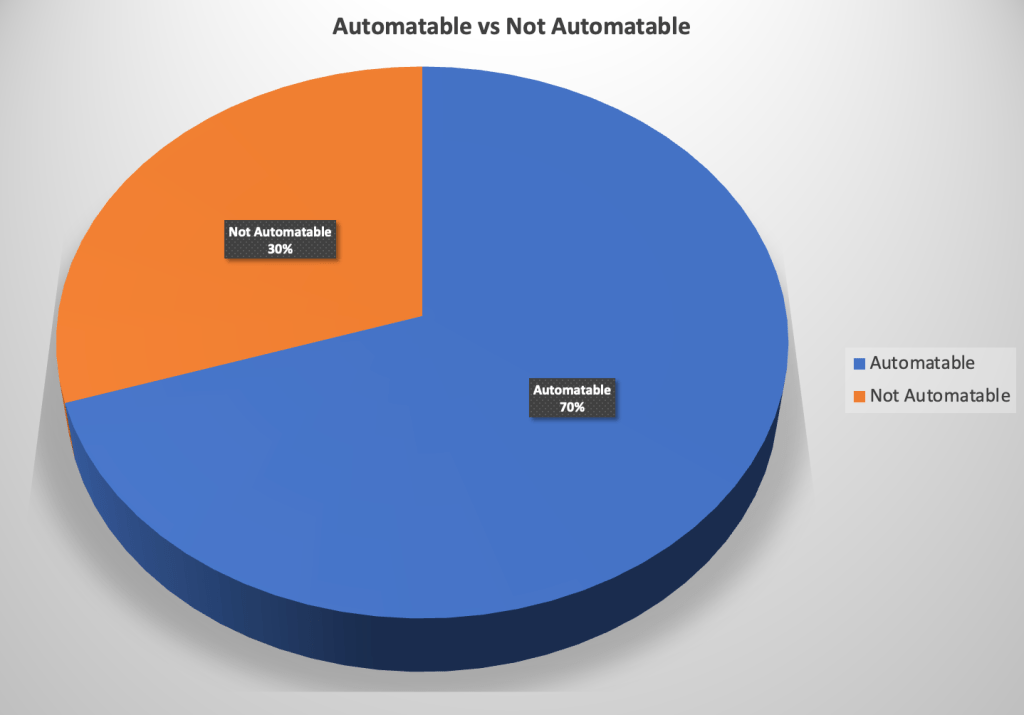
- The number of automatable test cases – which have a return on investment.
- The number of not automatable test cases
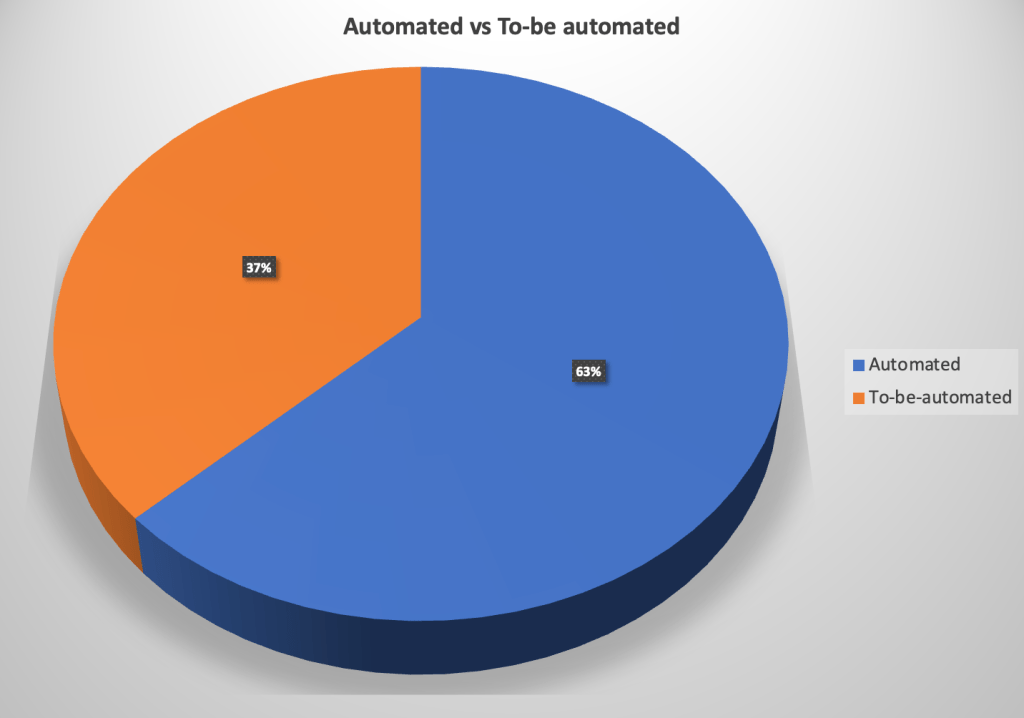
- The number of automated test cases – automated from automatable.
- The number of not automated test cases – automatable but not automated yet.
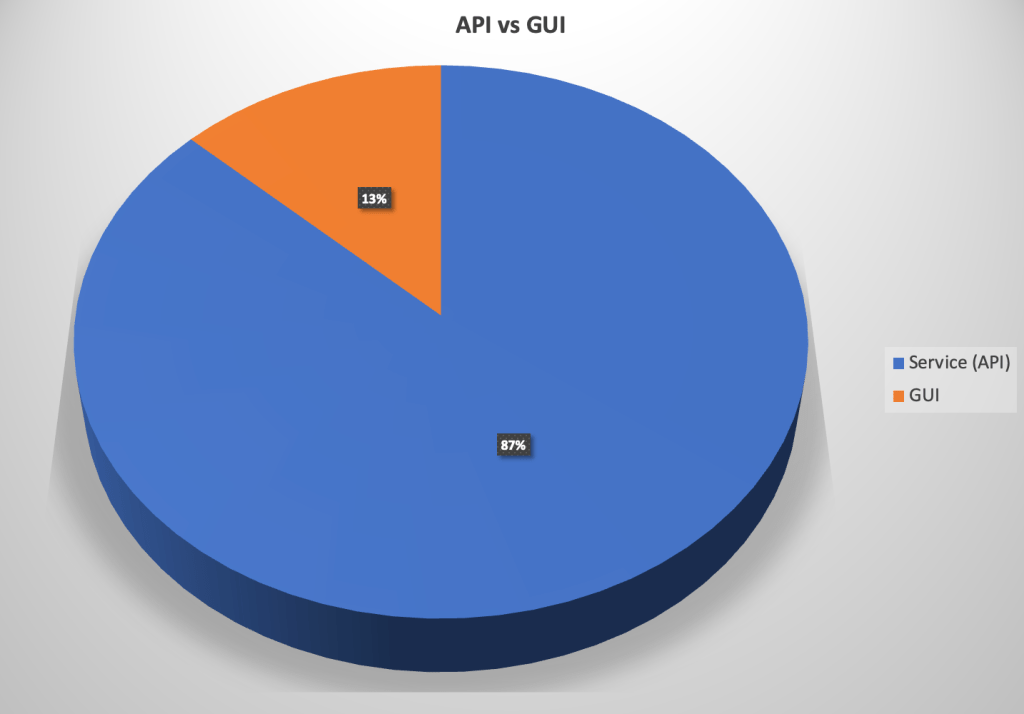
- The number of automated test cases done at the service (API) level.
- The number of automated test cases done at the GUI level etc.
I believe the level of visibility we are talking about should start from the test designing phase.
You can better grasp what I’m going to say by looking at the below pie charts.
Let’s go for an example,
Imagine we have a test case with ten steps. Seven out of ten are automatable (steps 1,3,4,5,6,7, and 8), and three are not automatable (steps 2, 9 and 10). Two of those seven automatable steps are service level (steps 1 and 3), and the other steps are (steps 4,5,6,7 and 8) GUI level. With a test case like this, you can’t categorize it based on the previously mentioned statistics (1, 2, 5, and 6) because it has a little bit of everything. Since this includes non-automatable steps, we cannot categorize this as an “automatable” test case. Furthermore, having service-level steps in that same test case stops this from being a “GUI” test case.
Using the preceding example, we can create three different test cases rather than a single one.
| Test Case 1 | Test Case 2 | Test Case 3 | ||||
|---|---|---|---|---|---|---|
| Steps | 4, 5, 6, 7 & 8 | 1 & 3 | 2, 9 & 10 | |||
| Automatable | YES | YES | NO | |||
| Level | GUI | API | NA | |||
-
Test Case 1:
- Steps 4, 5, 6, 7 and 8 –> Automatable –> GUI
-
Test Case 2:
- Steps 1 and 3 –> Automatable –> Service
-
Test Case 3:
- Steps 2,9 and 10 –> Not Automatable
If we can design test cases while considering above mentioned facts, then we can maintain the expected level of visibility. It also helps to make more accurate decisions.
I want to share a few advantages of following this approach.
- Team members have a clear understanding of manual effort. (Not automatable test cases- they have to execute manually)
- Can make a roadmap to complete automation of automatable test cases. (Automatable, but not automated yet)
- Since we can see the automated test case’s category (Service or GUI), we can put some effort and increase the number of test cases which are not at the expected level (If the organization encourage us to write more Service level test cases, but the actual number is lesser than expected, we can improve on that)
- Since everyone can see these stats, they self-motivate themselves to increase the number of automated test percentages.
This is the approach I have followed in one of my past organizations, and the approach helps us immensely because it has good visibility and transparency.
How are you helping to maintain visibility? I love to hear your approach as well.
Feel free to share your thoughts on this.
That’s it for today, guys. Thank You for Reading! I hope you found this article informative and useful.
If you think it could benefit others, please share it on your social media networks with friends and family who might also appreciate it.